Onboarding

Onboarding feature image
Eos icon

Overview

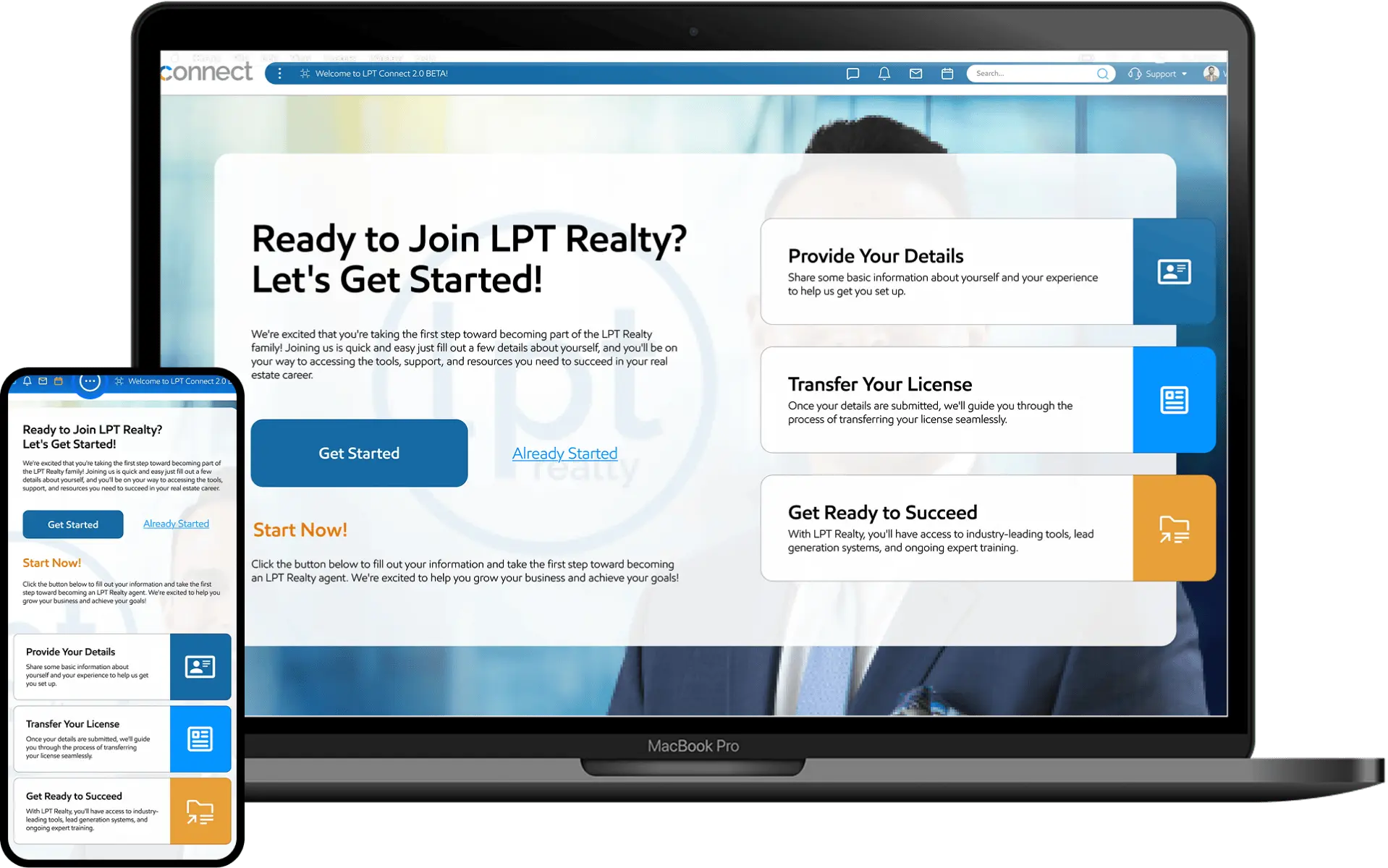
A well-structured form design system ensures consistency, usability, and efficiency across digital products. We recently undertook the challenge of design the onboarding system. The previous system had several pain points, and our goal was to create a more intuitive, visually and appealing.

Challenges

  • Users may abandon if progress isn’t clear.
  • Non-linear flows (conditional steps) complicate tracking.
  • Back/forward navigation must retain user inputs.
  • Small screens struggle with multi-step transitions.
  • Users may miss errors if they can’t see all fields at once.

Solutions

  • Load steps dynamically to improve performance.
  • Validate fields immediately (e.g., email format).
  • Allow users to save progress and return.
  • Optimize for small screens (stacked inputs).

Goals

  • Reduce cognitive overload by breaking forms into logical steps.
  • Show progress indicators.
  • Provide clear instructions per step.
  • Validate inputs at each step (real-time feedback).
  • Allow users to save progress and return later.
  • Ensure smooth transitions between steps on mobile & desktop.
  • Ensure data flows correctly between steps.
  • Allow users to review/edit before submission.

Project Timeline

Research
Setting Goals
Scope Agreement
Case study img
Wireframing
User Journey UX
Sitemaps
Project img
Content img
Content Creation
Desktop Design
Mobile Design
Development img
Code & Functionality
Optimisation & Performance
QA & Testing
Post-Live Checks
Publishing & Promoting
Support & Maintenance

Design Process

Lpt Emphasize

Emphasize

  • User Research
  • Interviews
  • Competitors Analysis
  • Survey

Lpt define

Define

  • Problem Statement
  • User Personas
  • Empathy Map
  • Story Board

Lpt ideate

Ideate

  • Brain Storming
  • User Flows
  • Information Architecture
  • Sketching

Lpt prototype

Prototype

  • Mid-Fi Wireframes
  • Visual Design
  • Prototype

Lpt testing

Testing

  • Usability Testing
  • Getting Feedback
  • Conclusion

Participant Demographics

Participant Demographics

Users Age

Lpt user age

Internet Browser

Lpt internet browsing

Phone Type

Lpt Phone Type

User Persona

I learned about the users by creating detailed profiles called user personas, helping me understand their needs, goals and frustrations.

Biography

John is director in tech company and he has 6 years of experience. He manages multiple projects simultaneously and collaborates with various teams and development.

Needs

  • Improve accessibility for screen reader users.
  • Optimize form flows for mobile & desktop.
  • Ensure seamless data validation & error handling.
Frustrations

  • User Drop-offs: Users abandon long forms.
  • Validation Issues: Errors are detected too late.
  • Mobile Usability: Forms aren’t responsive enough.
  • Dev Handoff: Miscommunication leads to poor implementation.

Tech Sevy

Social Skills

Org Activity

John Williams

John Williams

Organization

23

Location

San Francisco, CA

Age

32 Years

Occupation

Director

Personality

Extrovert

Introvert

Ts extrovert

Thinking

Feeling

Ts thinking

Typography

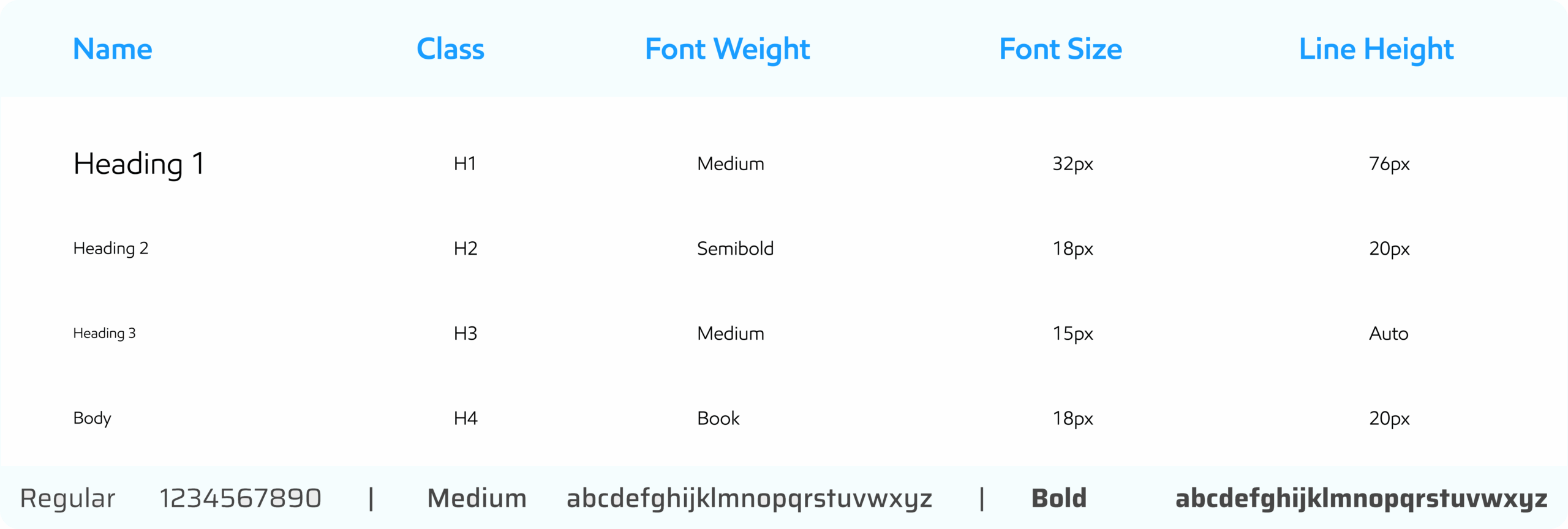
A great design system helps you design and build digital products a lot faster because they give you access to icons, typography rules, color palettes, and other design rules to follow during app or web development and the Fonts for apps play a major role in your users’ experience. We have used more advanced and trending font.
Lpt typography
T updated chart

AI Tools

Enhances human creativity with generative AI. We use AI Tools for generate some kind of images and icons.
Lpt AI Tools
Olivia wilson
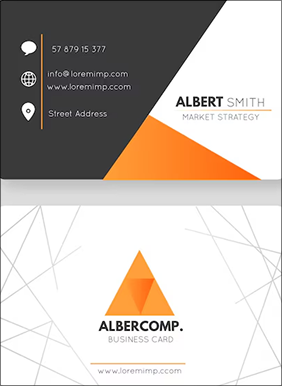
Card back

Provide Your Details

Share some basic information about yourself and your experience to help us get you set up.

Transfer Your License

Once your details are submitted, we'll guide you through the process of transferring your license seamlessly.

Get Ready to Succeed

With LPT Realty, you'll have access to industry-leading tools, lead generation systems, and ongoing expert training.
Colors

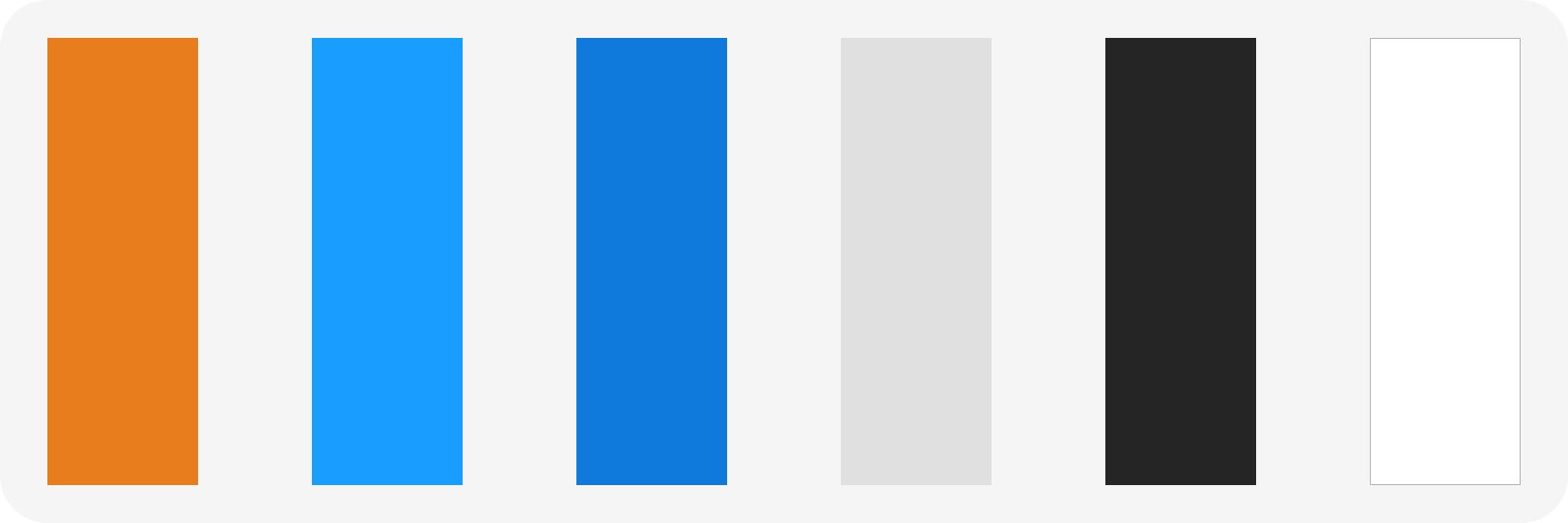
Primary Colors

Lpt primary color

Main Gradient Colors Details

Lpt gradient
Lpt gradient2

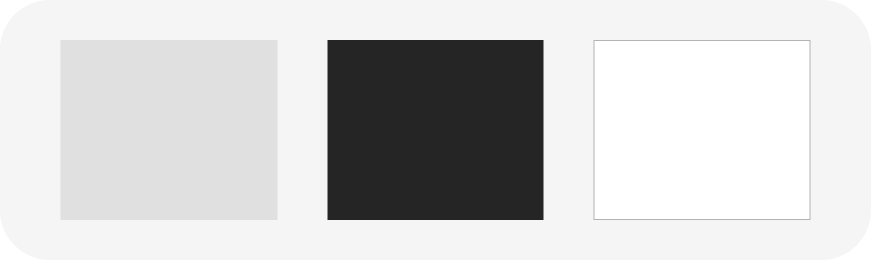
Text Colors

Lpt text color

User Research

65%

Many users find layout cluttered and confusing, especially for beginners

72%

Users want runtime indications

45%

Users struggle to stay consistent without reminders or clear weekly tracking.
What We Have Done

Lpt screen

In this screen:

  • We improved the responsive design.
  • User can check detail.

Lpt laptop screen

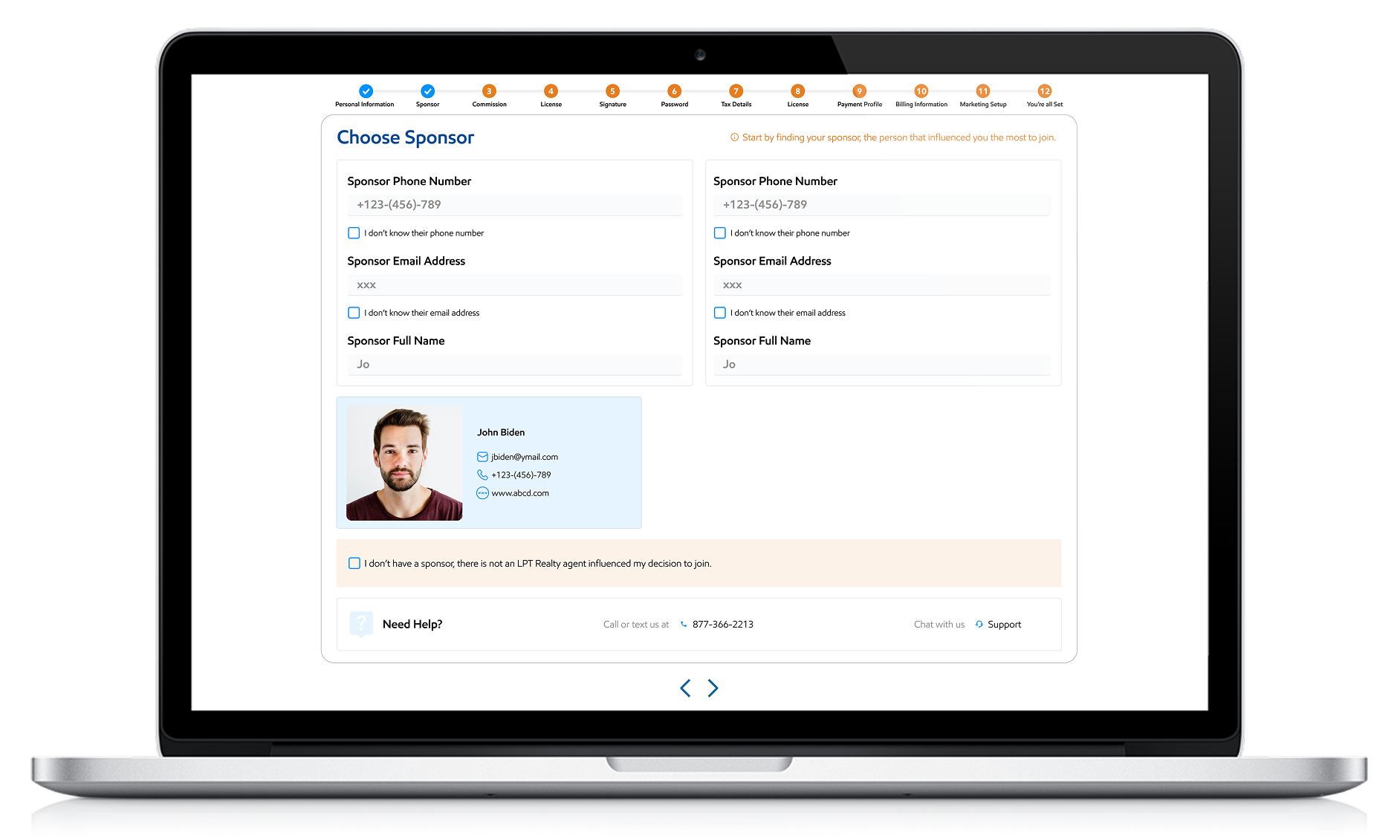
In this screen:

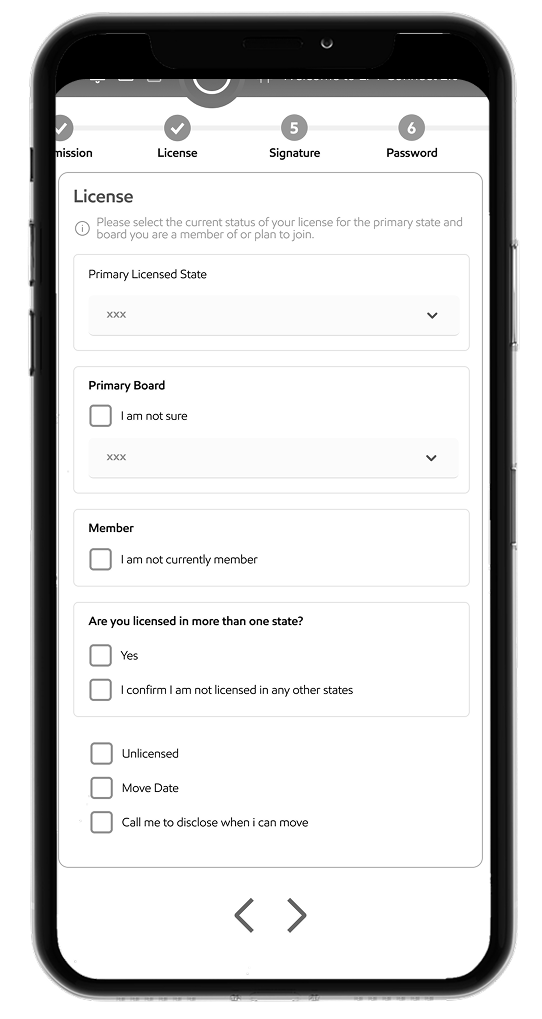
  • We add form with validation.
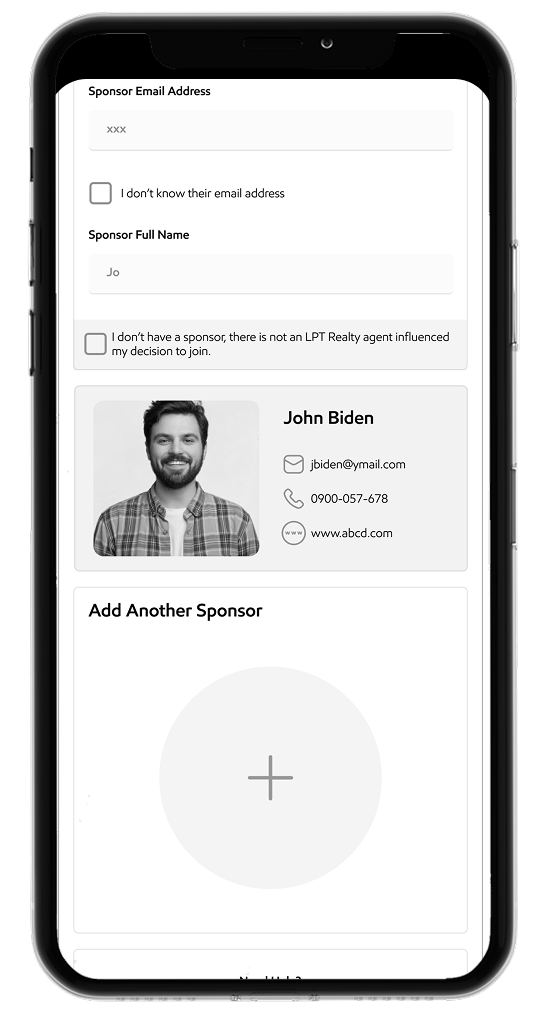
  • Contact appear at runtime from database.

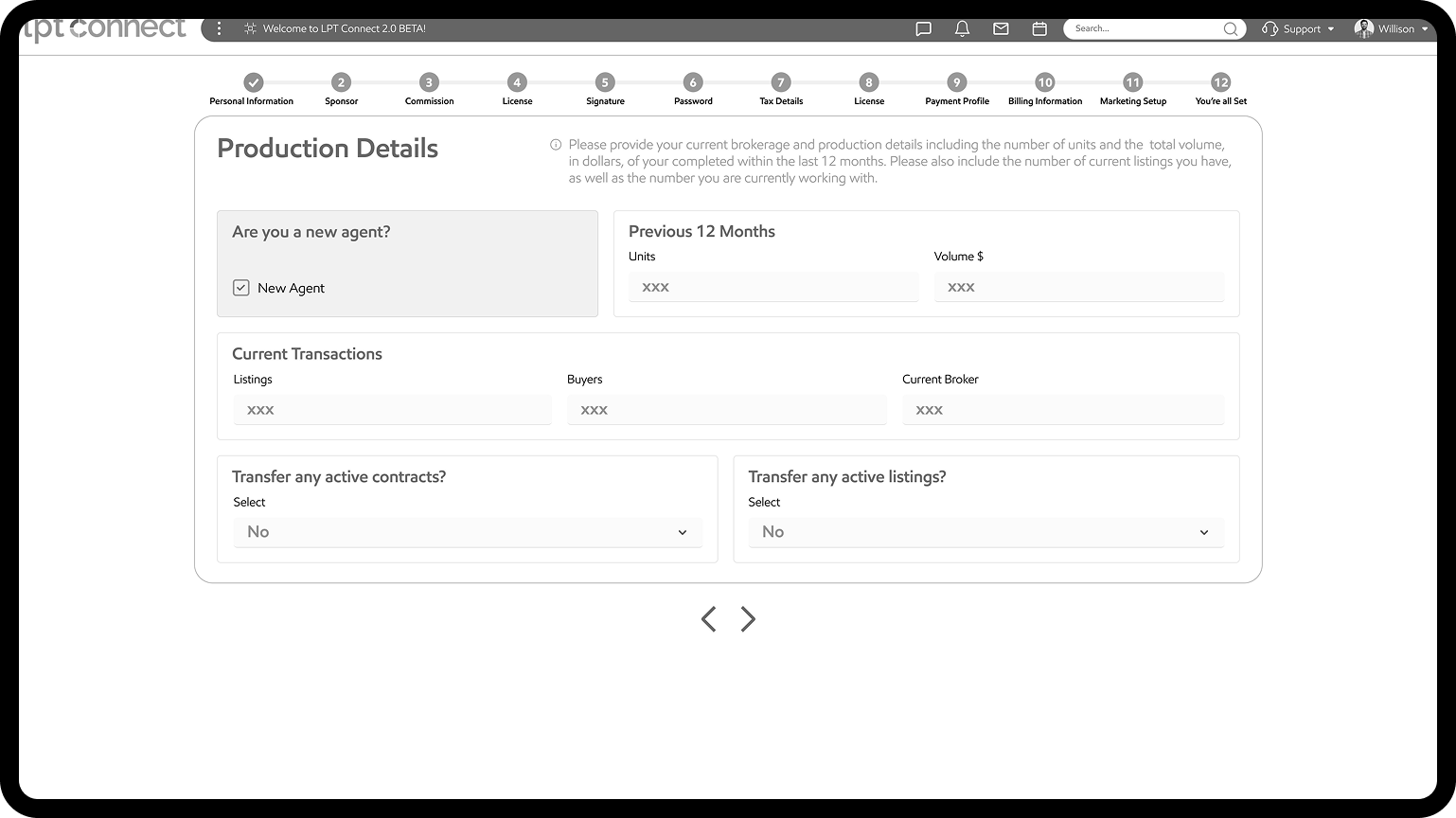
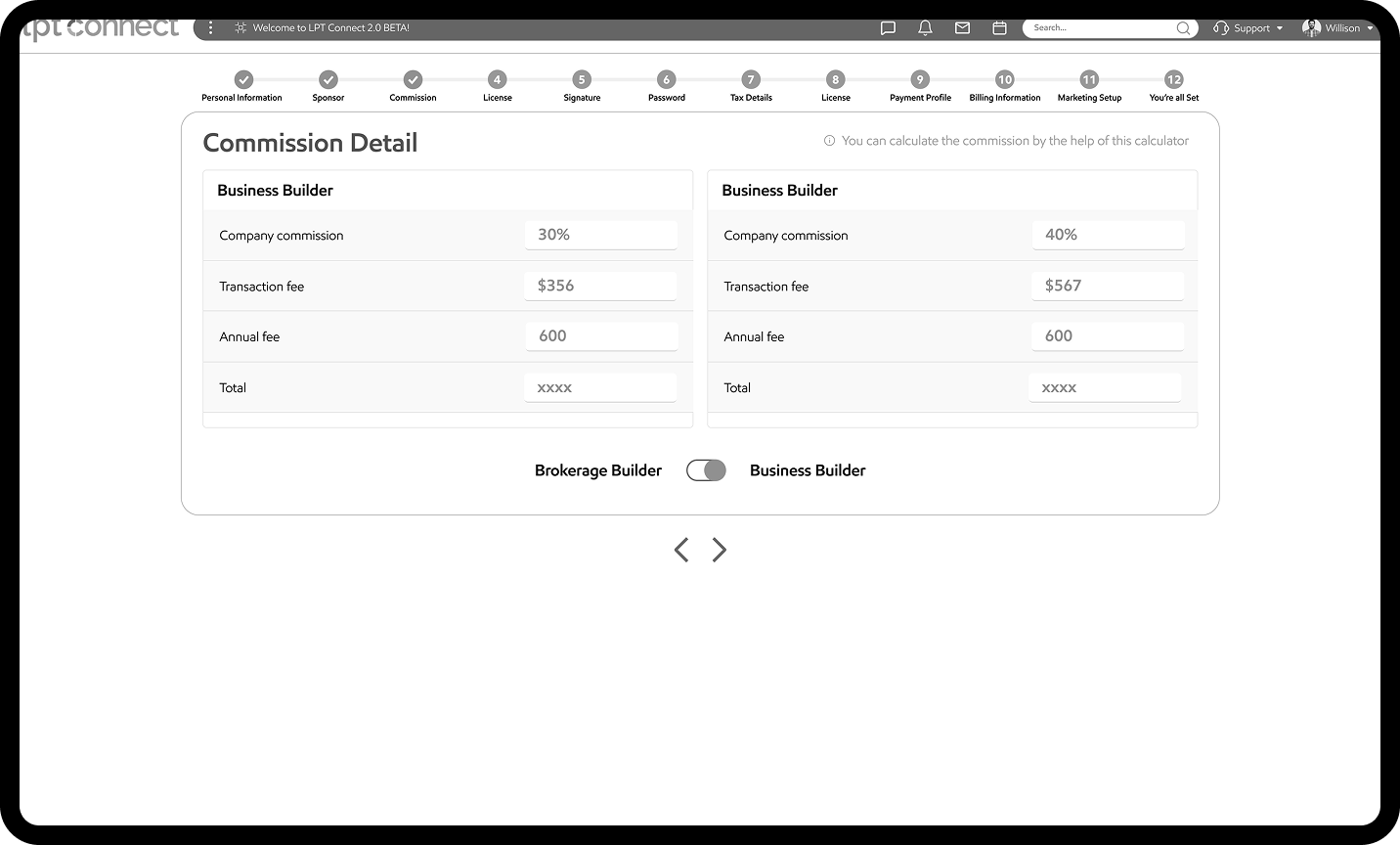
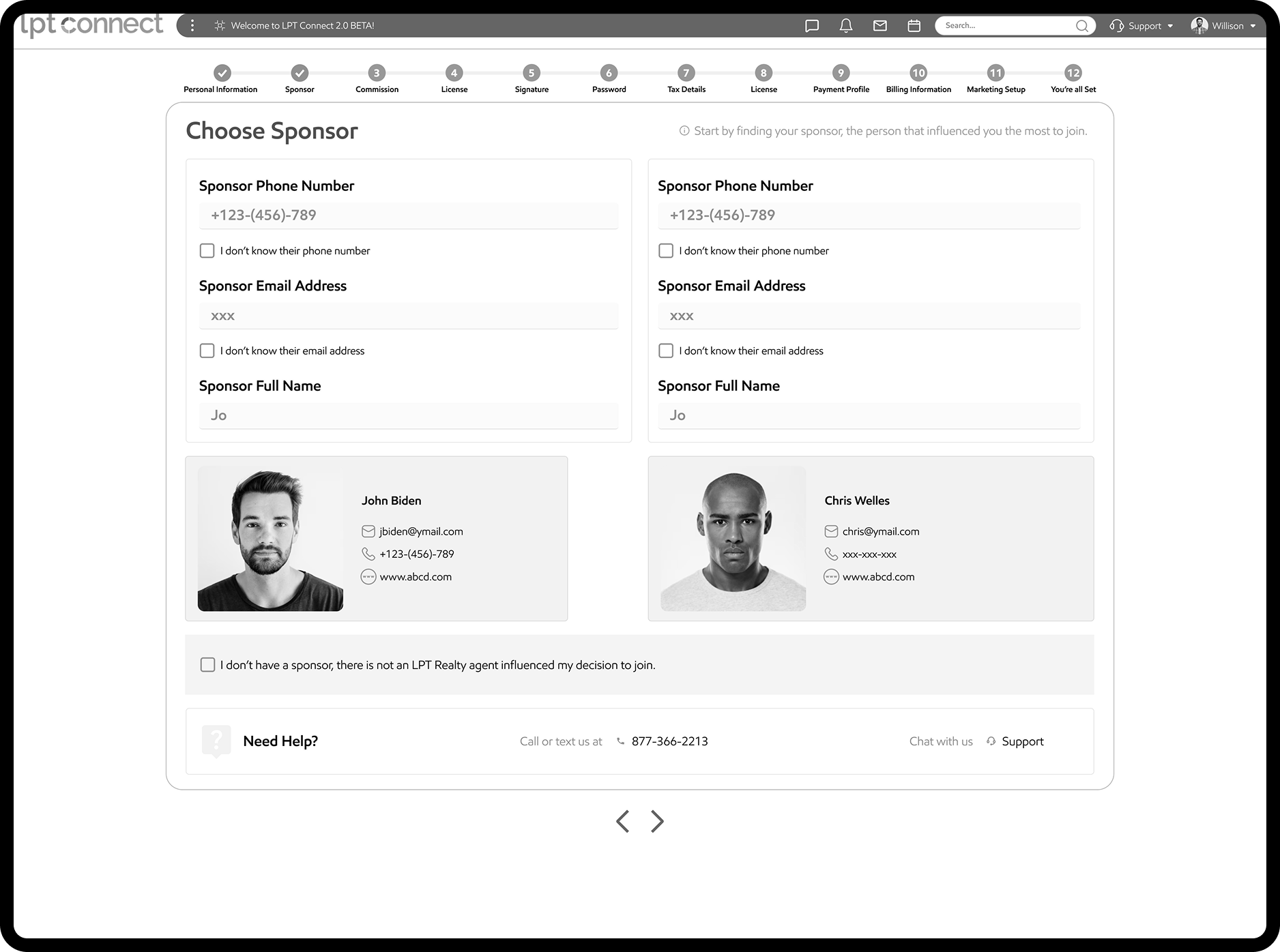
Low Fidelity

Low-fidelity refers to a state of reduced quality or detail, commonly used in contexts like audio, visual representations, and prototyping.
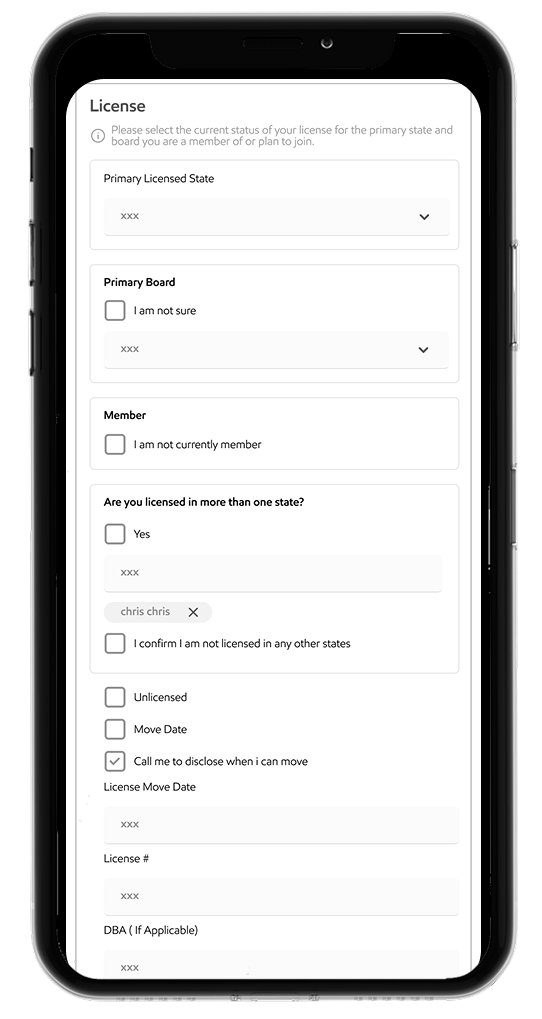
(Desktop View)

LPT Low Fidelity Desktop
LPT Low Fidelity Desktop2
LPT LF Desktop3
LPT Low Fidelity Desktop4

(Mobile View)

Lpt mobile view
Lpt mobile view
Lpt mobile view
Lpt mobile view

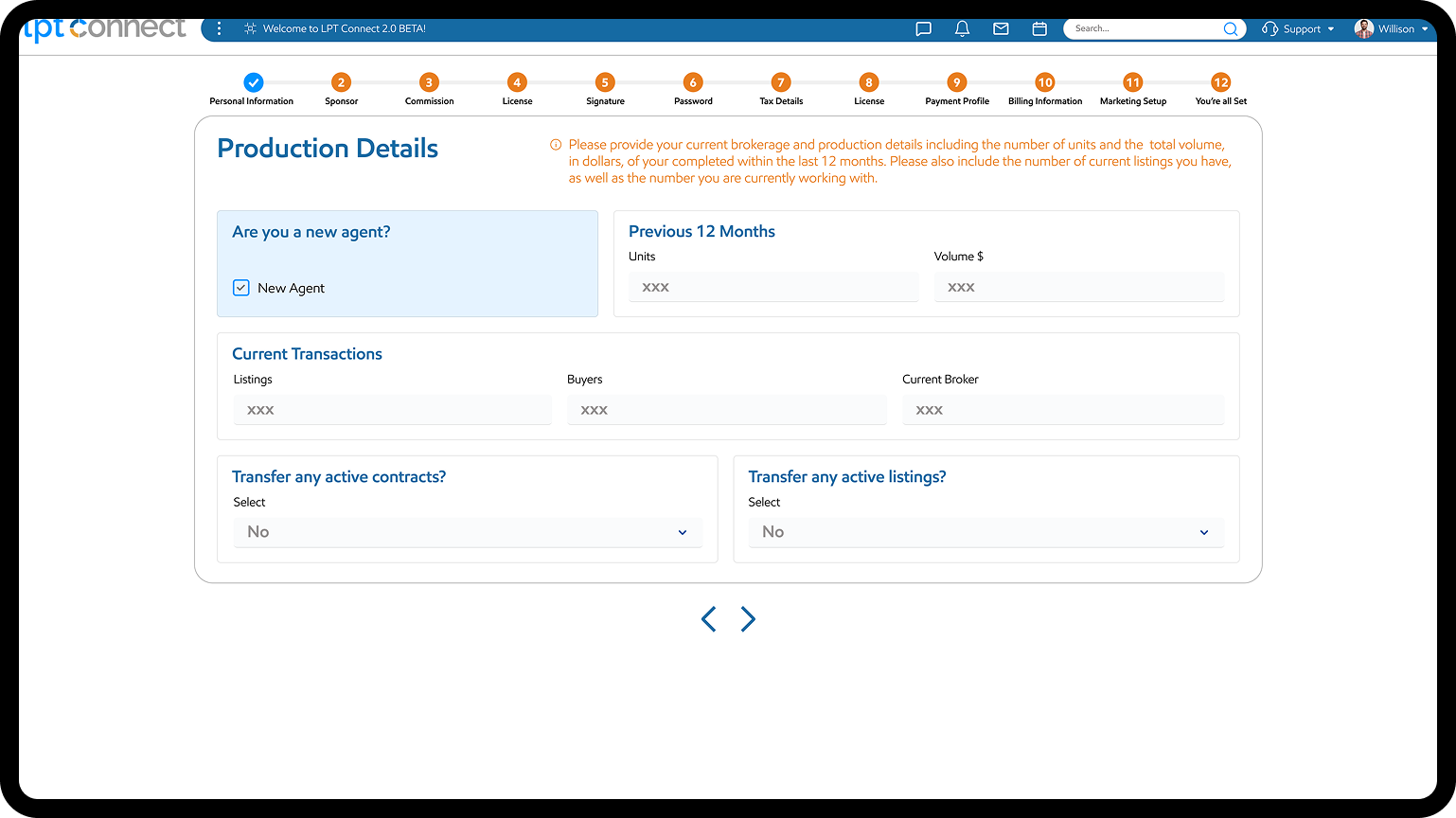
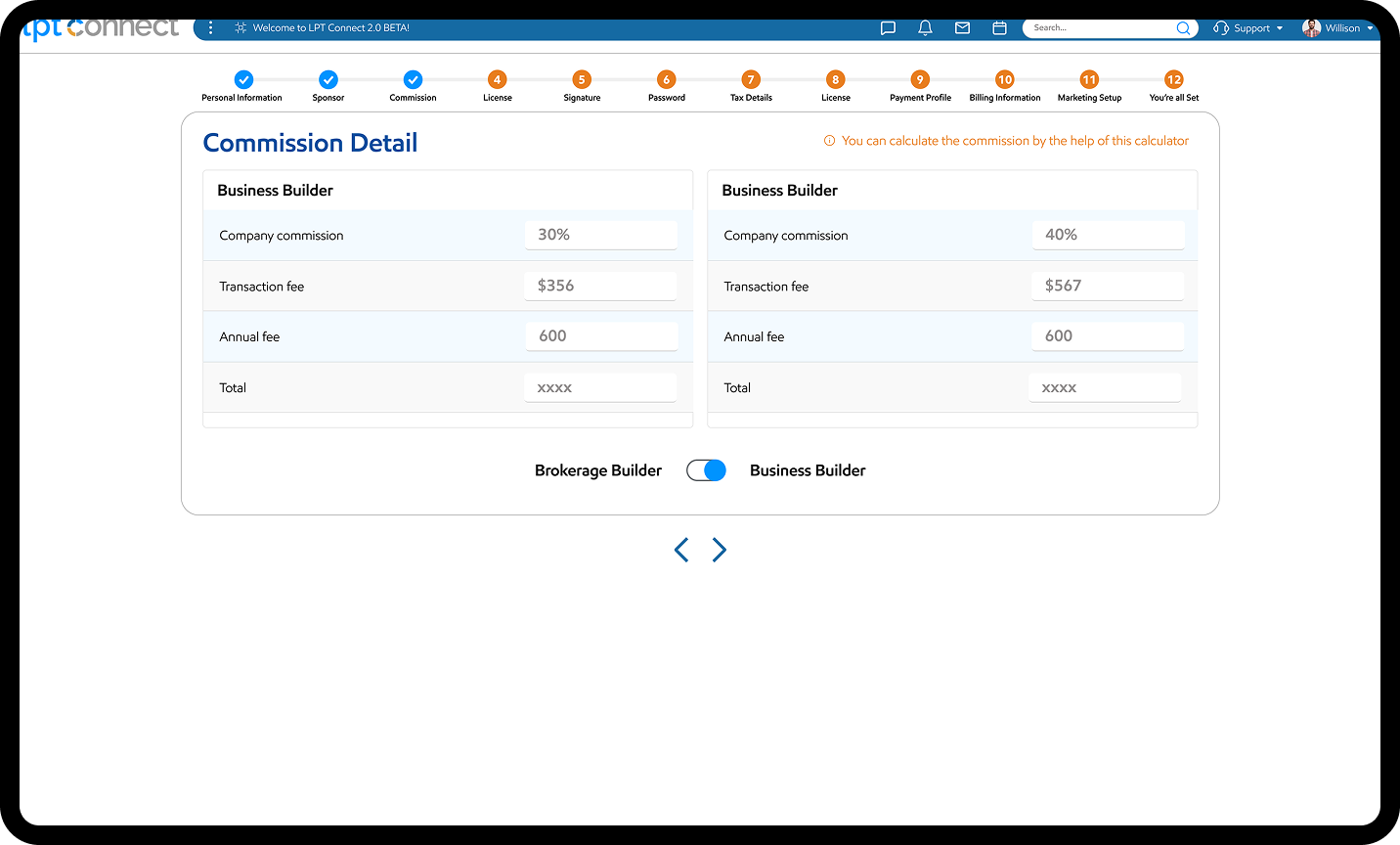
High Fidelity (Desktop)

LPT High Fidelity Desktop
LPT High Fidelity1
LPT High Fidelity2

Mobile View)

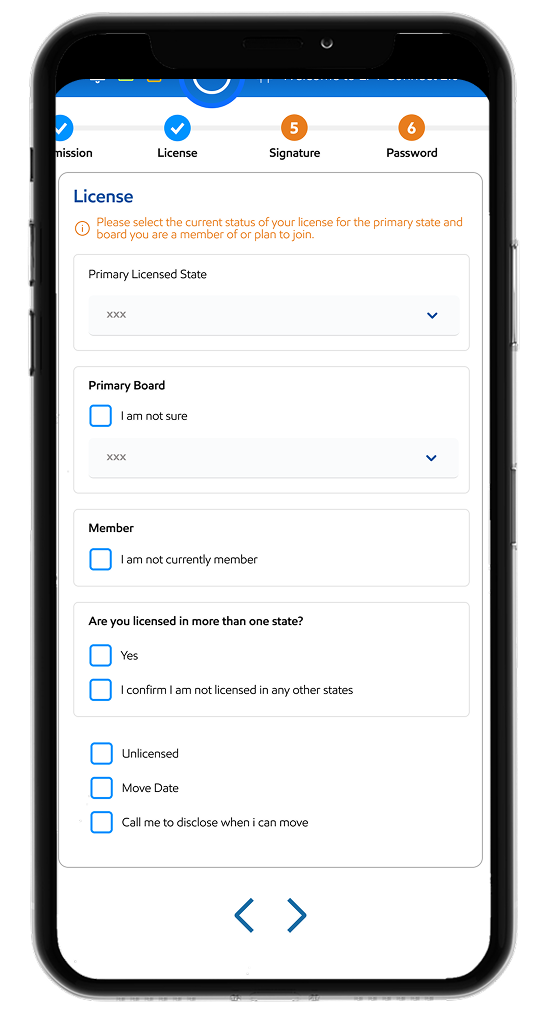
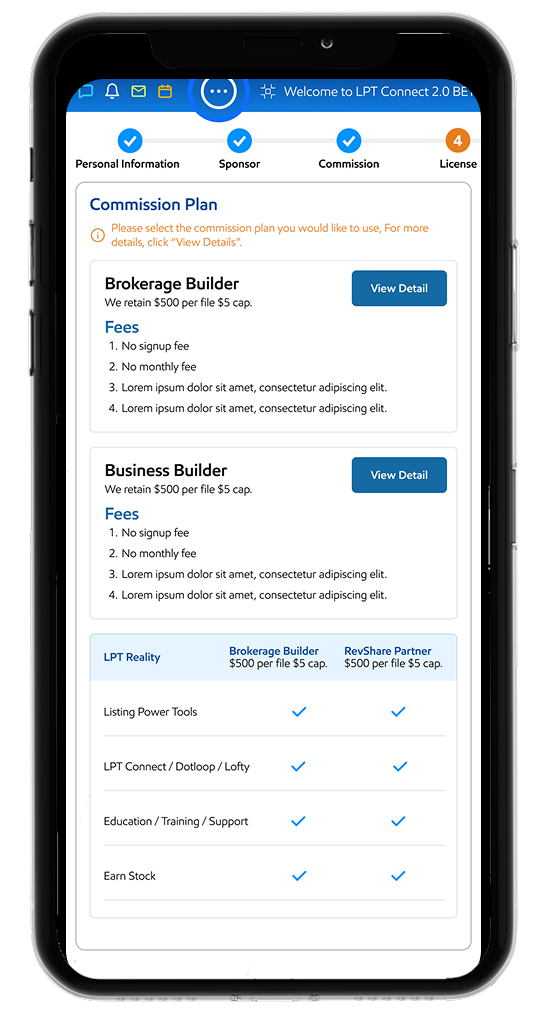
LPT High Fidelity Mob1

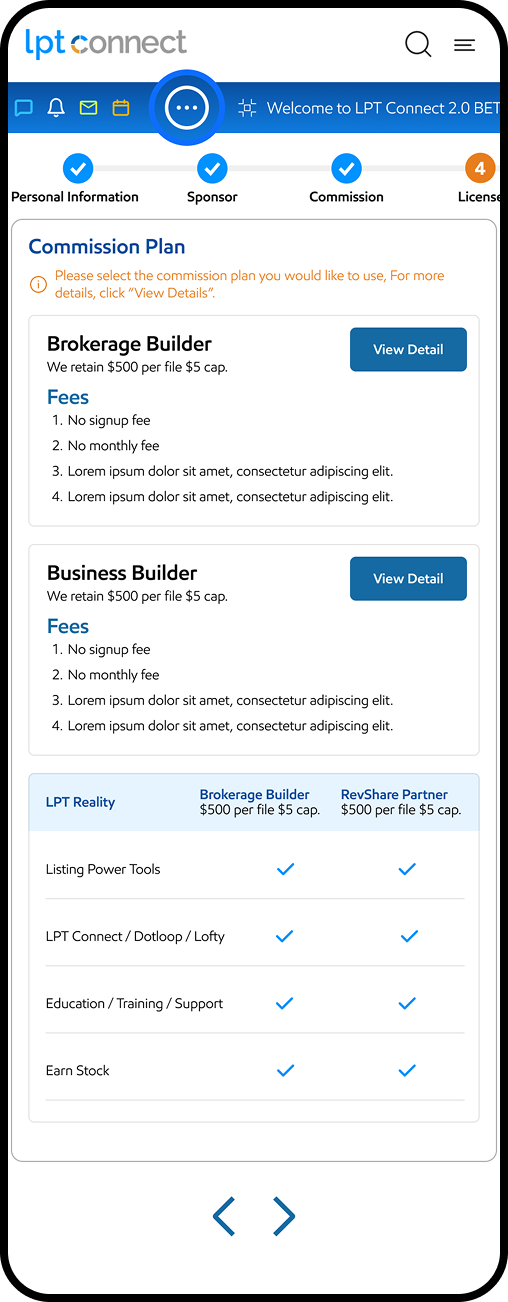
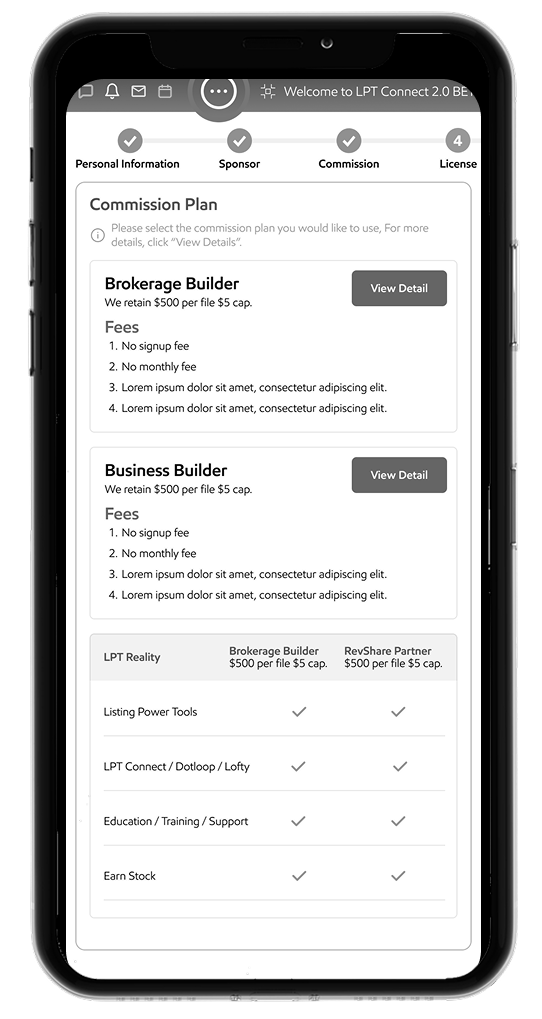
In this screen:

  • Plan details and comparison screen.
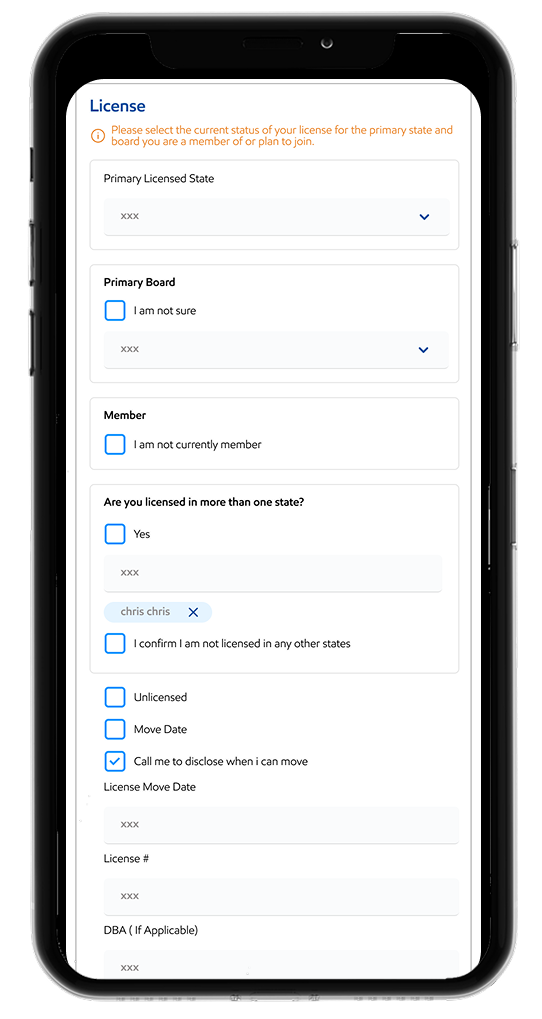
LPT High Fidelity Mob3

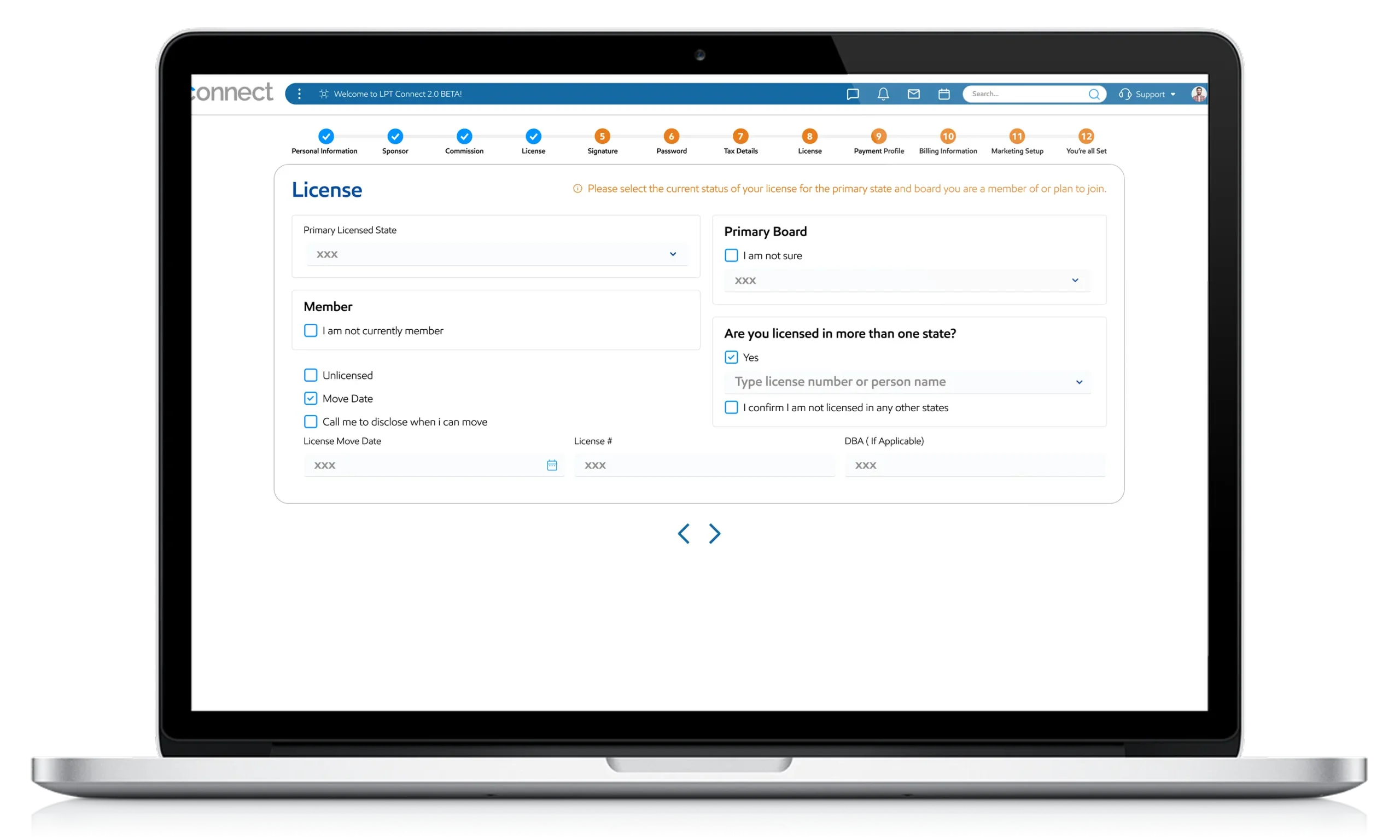
In this screen:

  • We add form with validation.

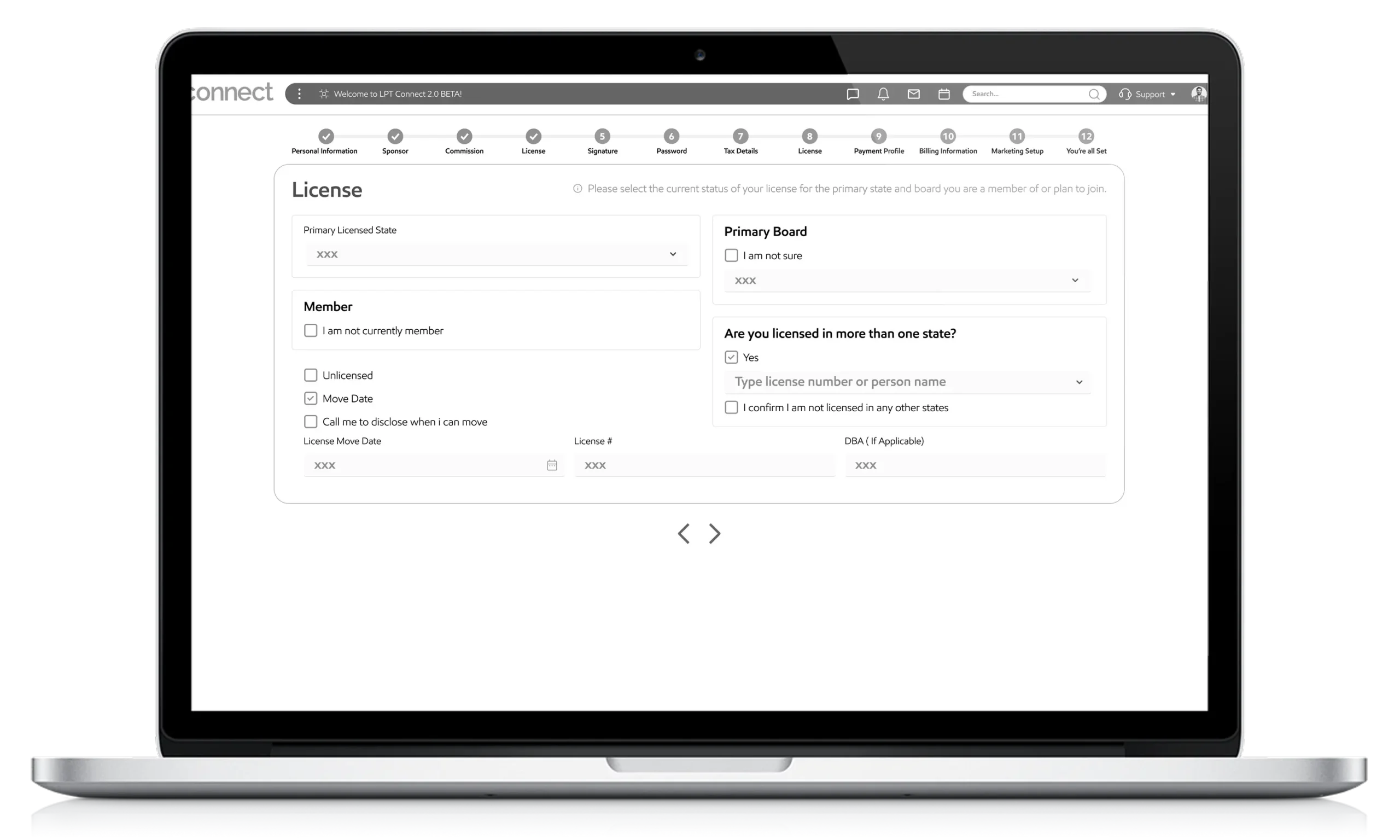
In this screen:

  • We add check boxes in form with separate prominent sections.

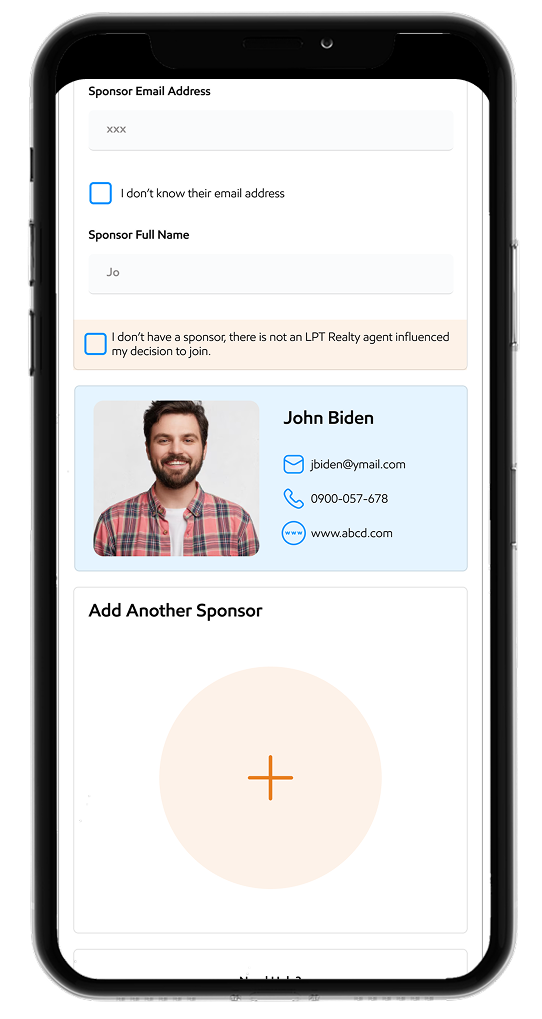
LPT High Fidelity Mob2

In this screen:

  • Contact appear at runtime from database.

LPT High Fidelity Mob4

Prototype

A prototype is a foundational or initial version of a product, model, or design. It serves as a sample to test a concept, gather feedback, and refine a product or process before full-scale production. Essentially, a prototype is a test case and a model for future iterations.