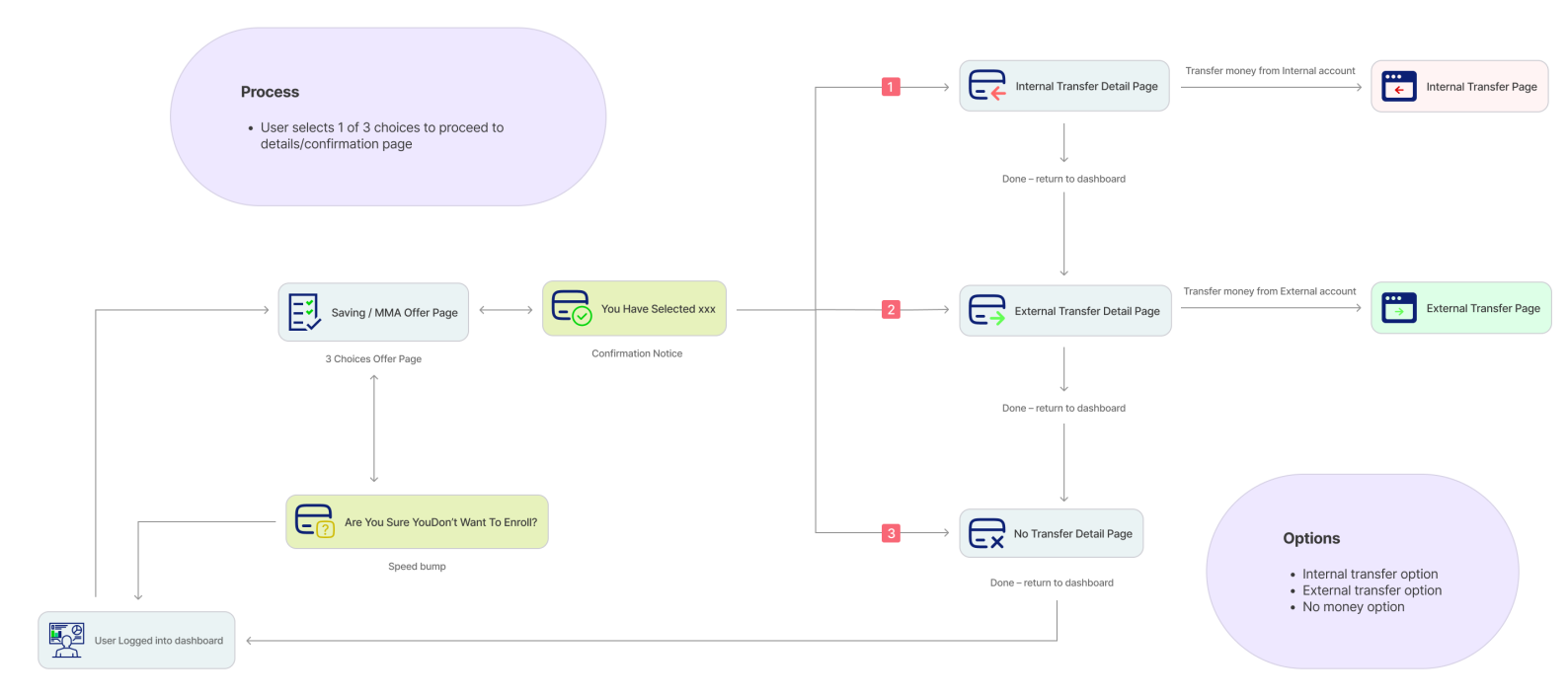

U.S. Bank partnered with Zafin to modernize how relationship-based pricing is configured and delivered across banking products. The goal was to give pricing analysts, product managers, and operations teams a single, trustworthy interface for managing interest rates, personalized offers, and product configurations — across channels, at scale.
The challenge was not just a UI problem. It was a system clarity problem: users couldn’t see how their inputs connected to pricing outcomes, and they were navigating three disconnected tools to complete a single workflow.
Significant reduction in downstream pricing errors attributable to the inline validation patterns and confirmation states introduced in the redesign.

Improvement in task completion rates across core configuration workflows, measured through pre/post usability testing.

Faster feature adoption following launch — pricing analysts reached proficiency in one-third the time compared to the legacy system.

A platform that enables financial institutions to:
The existing system was fragmented across multiple tools and workflows:
The core issue was not usability—it was lack of system clarity.
Users don’t just need better interfaces—they need to understand how data, rules, and outcomes connect across systems.
I designed a unified pricing experience that:
Problem:
Users navigated across multiple disconnected systems
Solution:
Impact:
Improved efficiency and reduced mental overhead
Problem: Users couldn’t understand how pricing decisions were derived
Solution:
Impact: Increased trust and reduced errors
Problem: Multi-step workflows were difficult to manage
Solution:
Impact: Faster task completion and improved usability
Problem: Users lacked confidence in outcomes
Solution:
Impact: Improved accuracy and decision confidence
Configuring Personalized Pricing
Goal:
Enable users to move from setup to execution with clarity and confidence
Design Decisions & Trade-offs
1. Information Overload
Initial designs surfaced too much data at once
Issue:
Users felt overwhelmed
Iteration:
2. Lack of Guidance in Complex Flows
Users needed more support during multi-step processes
Issue:
Increased errors and confusion
Iteration:
3. Weak System Feedback
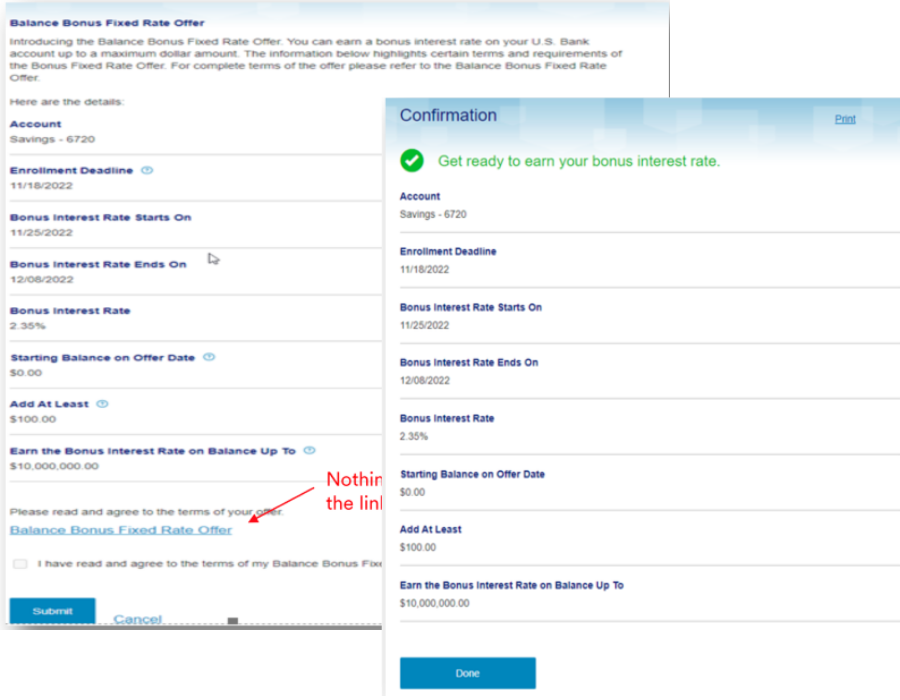
Users were unsure if actions were successful
Issue:
Reduced trust and confidence
Iteration:
The legacy system forced pricing analysts to move between three separate tools to complete a single pricing configuration. There was no unified view of how rules, customer attributes, and rate outputs connected. Users had built personal workarounds — spreadsheets, handwritten notes, Slack threads — to compensate for what the system couldn’t surface.
The visual design compounded the problem: dense information with no hierarchy, small labels, inconsistent patterns across screens, and no feedback states. Users couldn’t tell if their actions had registered, which led to duplicate submissions and downstream pricing errors.
The most consequential fields — those where an error would cause downstream pricing failures — were surfaced prominently with inline validation and confirmation patterns, reducing mistakes before they reached production.

Unclear data visualization without proper explanations might leave users confused about their financial standing.

Small labeling on buttons can make it difficult for users to understand what each action does.

Some screens has confusing layout or lack intuitive navigation, making it difficult for users to find what they need quickly.

Slow loading times or crashes issues are frustrating and discourage users from relying on the app for managing their finances.
Research focused on understanding how pricing analysts, product managers, and operations teams actually worked — not just what they said they needed.
Through contextual interviews and workflow observation, three core breakdowns emerged consistently across all user groups:
First, users had no mental model of how the system worked end-to-end. They knew how to complete individual steps but couldn’t predict how their inputs would affect downstream outcomes. This caused hesitation, duplicate work, and over-reliance on colleagues for validation.
Second, the existing interface provided almost no feedback. Actions felt unconfirmed. Users refreshed pages, resubmitted forms, and created manual verification steps outside the system — all symptoms of a trust deficit with the tool.
Third, the information architecture reflected how the system was built, not how users think. Pricing logic was organized by technical module rather than by workflow stage, forcing users to hold context across screens rather than building on it progressively.

Design based on what already works.
I conducted usability testing with 8 participants across three user groups — pricing analysts, product managers, and operations leads — using task-based scenarios on interactive prototypes.
Key findings from Round 1 testing drove three significant iterations:
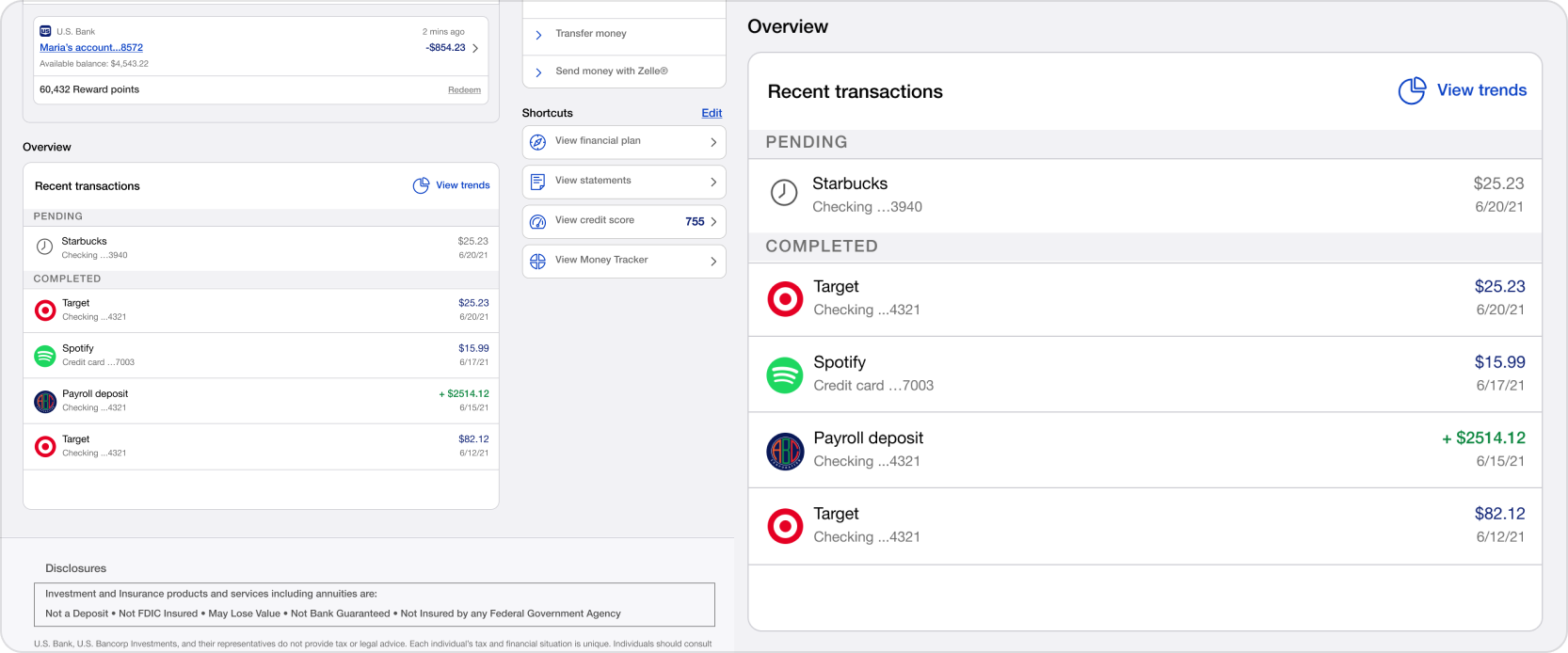
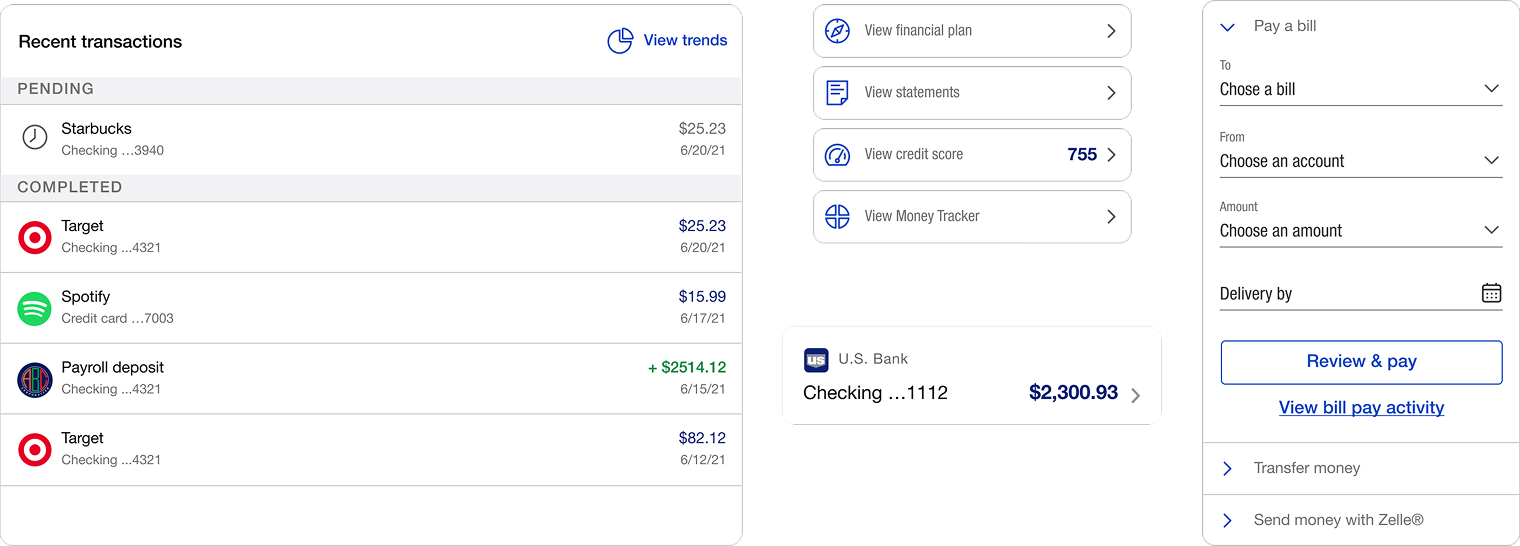
Users needed faster access to frequently used configurations. The solution was a shortcuts module surfaced on the home screen, reducing average navigation time to key tasks by removing two steps from the most common workflows.
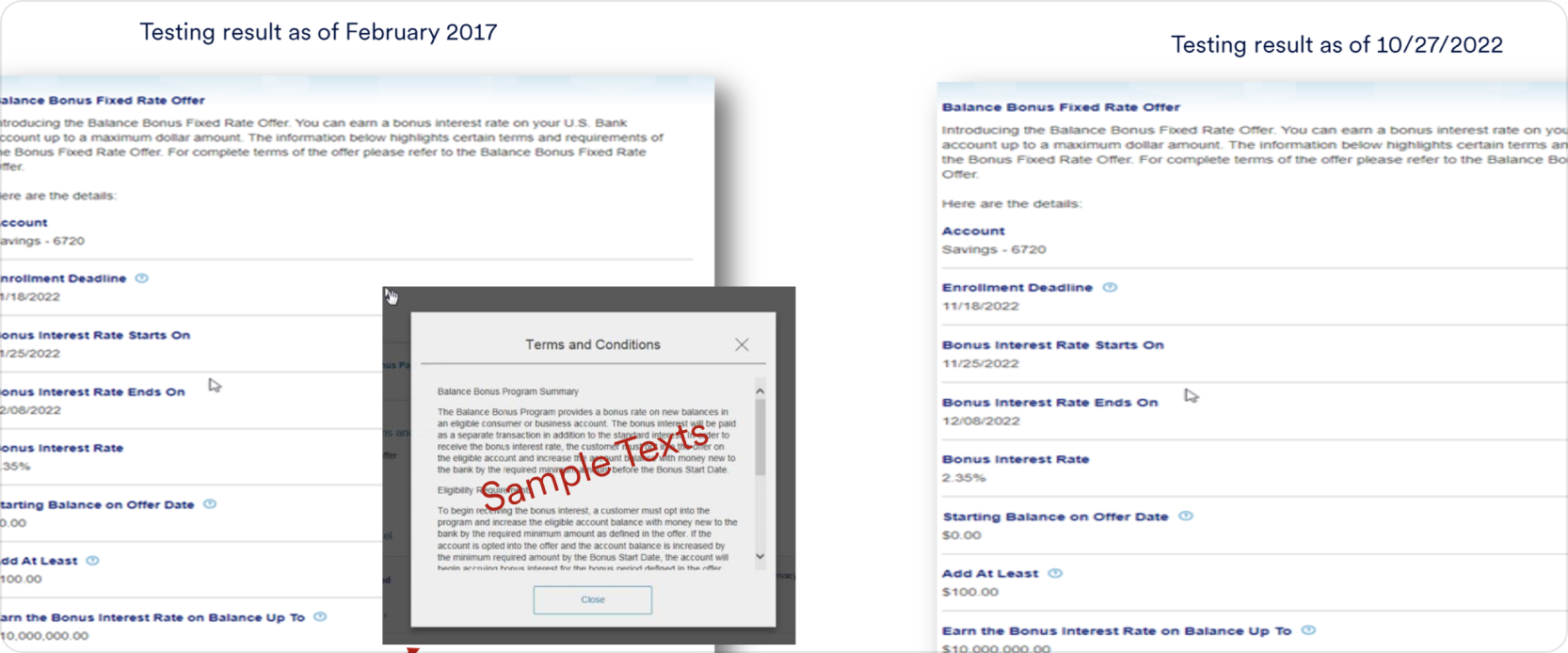
The balance bonus offer entry point was missed by 6 of 8 participants in the first round. The solution was repositioning it as a prominent prompt on the dashboard rather than a buried menu item — improving discoverability to 100% in Round 2 testing.
Users lacked confidence that their submitted changes had processed. The solution was adding explicit confirmation states and a submission history view so users could verify actions without contacting support.

Problem: Users found long, multi-step navigation paths frustrating when they just needed to get things done quickly.
Solution: We introduced customizable shortcuts for frequently used functions, enabling effortless, one-tap access directly from the main screen.

Problem: The “Balance Bonus Offer” is a niche feature that users rarely need to interact with, meaning it shouldn’t clutter primary space.
Solution: We relocated the balance bonus offer to a contextual, prominent pop-up or secondary menu, keeping it accessible when needed without wasting prime screen real estate.

Problem: The previous version lacked a quick way for users to review their recent billing actions, forcing them to dig through deep menus to confirm payments.
Solution: We added a dedicated “View Bill Pay Activity” feature, allowing users to track their transaction history instantly with a single glance.
Designing enterprise systems is not about eliminating complex features—it’s about making intricate systems understandable and highly usable. This project reinforced that:
The skills I built here — designing for regulated data, managing complex form states, and building scalable components within a design system.
Hey, thanks for checking out my work.
I’ve been fascinated with the way people interact with technology since forever. I’m particularly keen on digital products designed to make life easier for human beings.
What are you working on?
If you want to know more about my design process, or if you want to talk about a cool idea, don’t hesitate to hit me up.