Maeville logo

Maeville Pediatrics

ONLINE PORTAL

Case Study

Mp role

My Role

Lead UX/UI Designer
I led the end-to-end design process, including:

  • Defining UX strategy and experience principles
  • Conducting research and synthesizing user insights
  • Redesigning the appointment booking flow
  • Creating wireframes and high-fidelity UI
  • Ensuring accessibility and mobile-first usability
Figma
Psd

Introduction

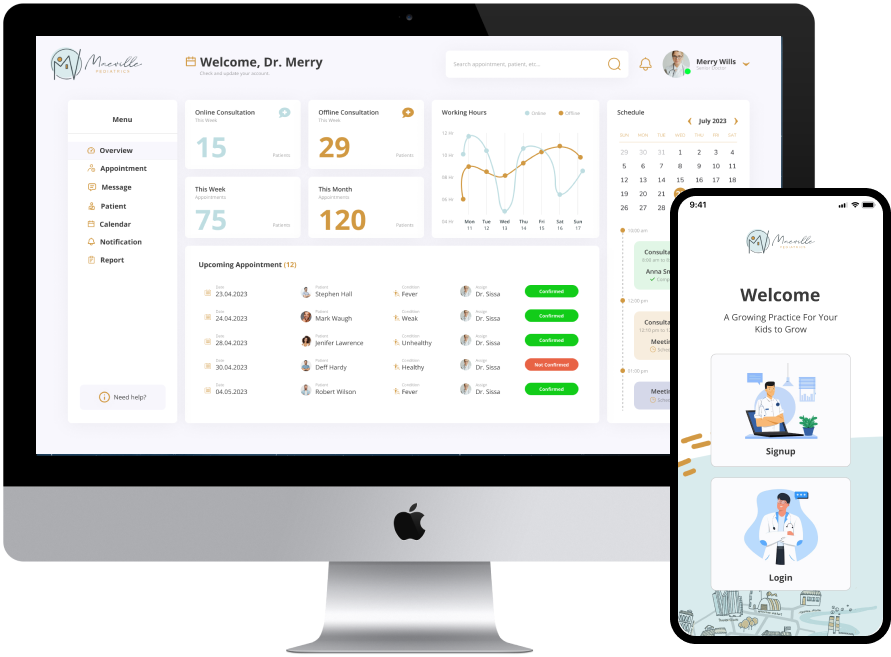
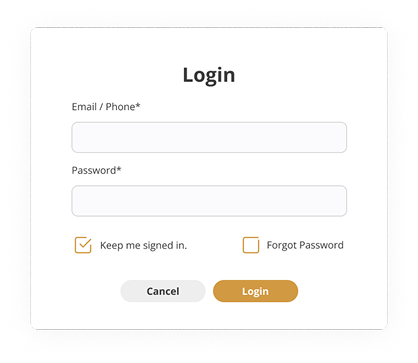
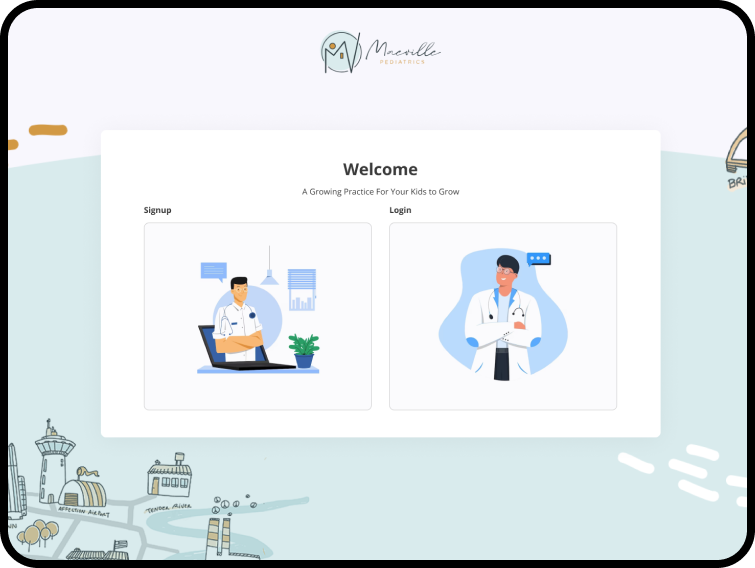
I design the portal which is beneficial to the patients as well as to the doctors. This portal particularly enables patients to Access their medical records, plan the appointments, refill prescription and it also helps the doctors to keep track of the patients medical history. By providing these features as well as easy access to online resources.

The main feature that makes any Doctor-patient portal reliable is the ability to expose individual patient health information in an efficient manner through internet.

All doctor-patient portals allow patients to interact in some way or the other with health care providers or doctors.

Mp intro
Mp intro login

Project Overview

Maeville Pediatrics is a healthcare provider focused on delivering accessible, family-centered care. However, their digital experience did not reflect the urgency, trust, and simplicity required by parents managing their children’s healthcare.
This project focused on redesigning the appointment booking and patient experience to reduce friction, improve accessibility, and increase digital adoption.
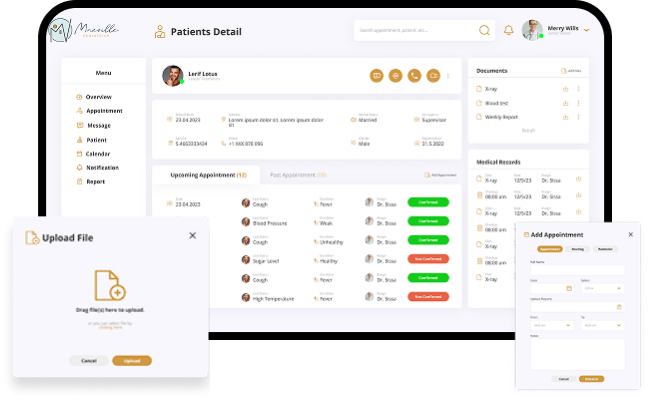
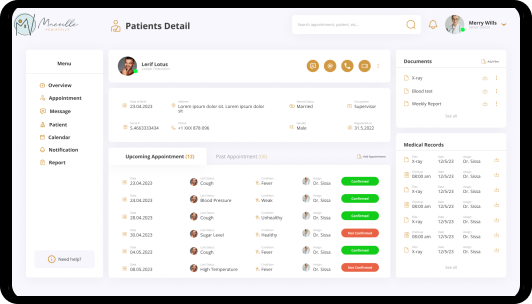
All patient data, including medical history and visit notes, is securely centralized, ensuring quick access to essential information when needed.
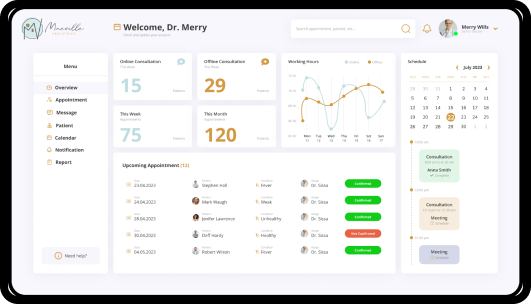
The application simplifies scheduling and patient tracking, reducing administrative workload and improving time management for healthcare professionals.
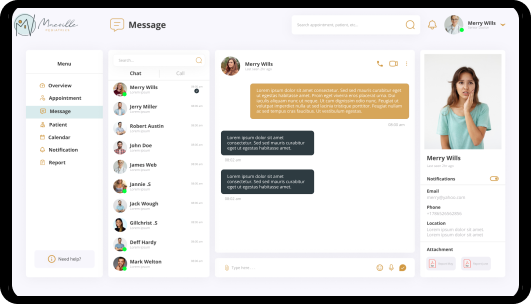
The communication feature enables seamless doctor patient interaction, enhancing care continuity and improving the overall healthcare.

Problem

Parents faced significant challenges when interacting with the existing system:

  • Appointment booking required long, multi-step forms
  • Navigation was unclear, making it difficult to find key services
  • No mobile optimization, despite majority mobile usage
  • Lack of feedback created uncertainty during booking

This resulted in:

  • High drop-offs during scheduling
  • Increased reliance on phone calls
  • Frustration during time-sensitive situations

From a business perspective:

  • Low digital adoption increased operational overhead
  • Missed opportunities to streamline patient intake
  • Reduced patient satisfaction and retention

Solution

I designed an end-to-end digital scheduling ecosystem that transitioned the clinic from a phone-dependent model to a 24/7 self-service platform. By automating the booking flow and creating a synchronized dashboard for staff, I reduced manual data entry and empowered patients to manage their own care.

The Pain Point

My Design Solution

The User Benefit

AI Enhance

AI Enhanced Portal

An AI-enhanced patient portal, they achieved a 40% reduction in administrative tasks for clinical staff, a 25% increase in patient engagement with preventive care, and significantly higher satisfaction scores from both patients.

Objective & Purpose

The main objective of this project is to manage the details of doctor, appointment, patient, booking, Doctor Schedule. It manages all the information about doctor, doctor fees, doctor schedule and reports.

The purpose of the project is to built an application program to reduce the manual working for manage the doctor, appointment fees, patient. It tracks all the details about doctor schedule, patient, bookings and reports.

Mp objective
Mp scope

Scope

Functionalities provided by scope of online doctor appointment:

  • Provides the searching facilities based various factors, such as doctor schedule, patient, booking, doctor.
  • It tracks all the details and schedule.
  • Manage the information of appointment.
  • To increase efficiency of managing the doctor appointment.
  • Manage the information of doctor.
  • It deals with monitoring the transaction of appointment system.
  • Manage the information of booking.
  • Shows the information and description of doctor, patient.
  • Integration of all record of doctor schedule.

Design Process

From research to final screens, each step focused on user needs and deadlines.

Discover

Mp border

Define

Mp border

Develop

Mp border

Deliver

Mp border
Mp dp bottom

Project Timeline

Vector

Onboarding

Sitemap

Wireframes

Content Review

Design Review

Development Review

Testing

Post Live

Research & Key Insights

I conducted user interviews and evaluated behavioral patterns across parents interacting with healthcare platforms.

Key insights:

Speed and clarity are critical in high-stress moments

Parents often book appointments under pressure—complex flows increased anxiety.

Mobile-first behavior dominates

Most users accessed the platform via mobile devices, but the experience was not optimized.

Long forms cause abandonment

Users dropped off when required to complete unnecessary or repetitive fields.

Trust is built through feedback and confirmation

Users needed clear confirmation that appointments were successfully scheduled.

RKI Img
RKI Img

Design Strategy

I defined three guiding principles:
MP DS
Reduce Cognitive Load

Simplify flows and remove unnecessary steps to support quick decision-making.

Design for Trust

Provide clear system feedback, confirmations, and transparent interactions.

Prioritize Accessibility

Ensure the experience is inclusive, readable, and easy to navigate for all users.

Key UX Decisions

Simplified Appointment Booking
  • Reduced steps from a long-form experience to a guided, step-by-step flow
  • Used progressive disclosure to show only relevant information
  • Prioritized common actions like selecting doctor, date, and time
Mobile-First Redesign
  • Designed responsive layouts optimized for small screens
  • Increased tap targets and simplified interactions
  • Ensured key actions were always visible and accessible
Real-Time Feedback & Confirmation
  • Introduced clear success states after booking
  • Added visual indicators for each step in the process
  • Reduced uncertainty and duplicate booking attempts
Information Architecture Overhaul
  • Reorganized content based on parent priorities
  • Grouped services into intuitive categories
  • Improved discoverability of key actions

User Research

Research Goals & Objectives

For Patients: Understand the emotional and logistical barriers to booking an appointment (Why do they procrastinate? Why do they call instead of using the web?).

For Doctors/Staff: Identify the “administrative leaks” (Where is time being wasted? What causes the most stress during a shift?).

MP UR

Methodology

I recommend a Triangulation Approach (using three different methods) to get the best data:

Method

Target Audience

Purpose

Patient Side

The “Power User” Parent: Manages multiple schedules (kids, spouse, self).
The “Digital Immigrant”: An older patient (65+) who may struggle with complex UI but needs the care most.
The “Chronic Care” Patient: Needs recurring appointments and easy access to history.

Provider Side

The Front-Desk Coordinator: The “Gatekeeper” who handles the actual calendar.
The Specialist Doctor: Needs to see patient data quickly between 15-minute slots.
The Clinic Manager: Focused on “No-Show” rates and revenue.

Questions for Patients

“Walk me through the last time you tried to book a doctor’s visit. What was the hardest part?”
“What is the first thing you look for when you land on a medical website?”
“How do you currently keep track of your follow-up instructions?”

Questions for Doctors/Staff

“What is the one task you do every day that feels like a ‘waste of time’?”
“How do you handle a patient who arrives without the correct paperwork?”
“If you could automate one part of your morning, what would it be?”

Mp patients

Proposed System

I designed three core workflows:

  1. Patient-facing: search available slots by doctor/date, one-click booking, automatic confirmation + reminder.
  2. Doctor-facing: real-time availability calendar with drag-to-reschedule, patient history sidebar.
  3. Admin: bulk scheduling, absence management, report generation. Each flow prioritized reducing clicks and decision fatigue.

The system allows doctors and patient to manage their booking slots online.

Patients are allowed to book empty slots online and those slots are reserved in their name and id. The system manages the appointment data for multiple doctors of various date and times based on the requirement.

Image
Image 959 (1)
Each time a user visits a doctor his/her medical history as and when needed. At the same time a doctor may view patients previews medical history while the patient visit him. User can check their reports and notification about any updates.

Advantages Of Proposed System

Image

Modules

Image (2) (1)

Administration

Image (3) (1)

Doctor

Image (4) (1)

Patient

Registration

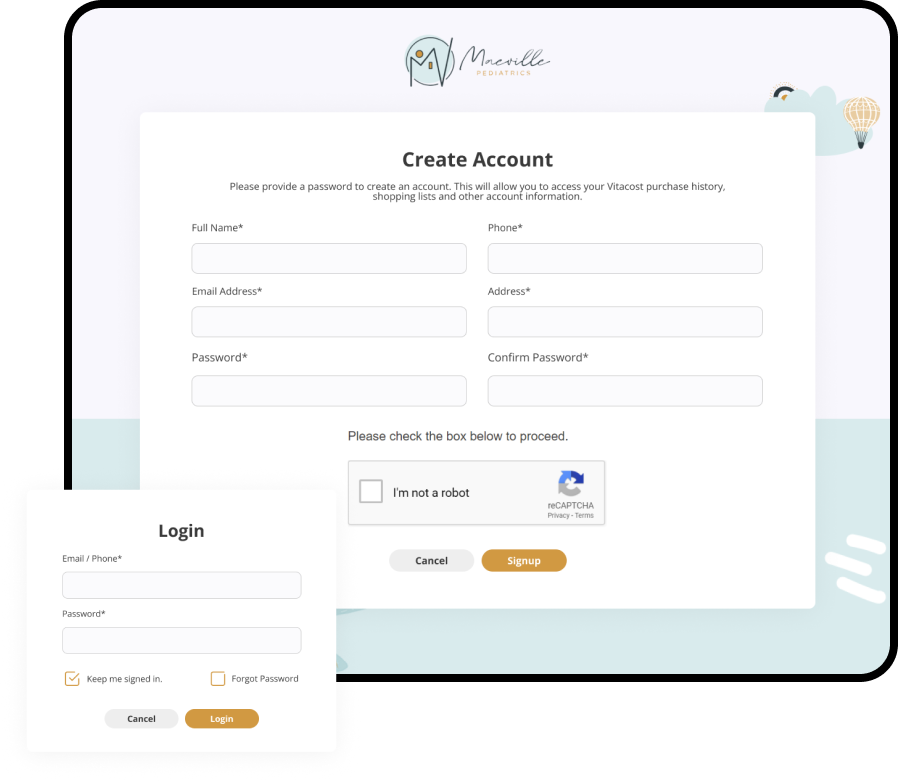
With Patient Portal, you can connect with your doctor through a convenient, safe and secure environment.
Group

Dashboard

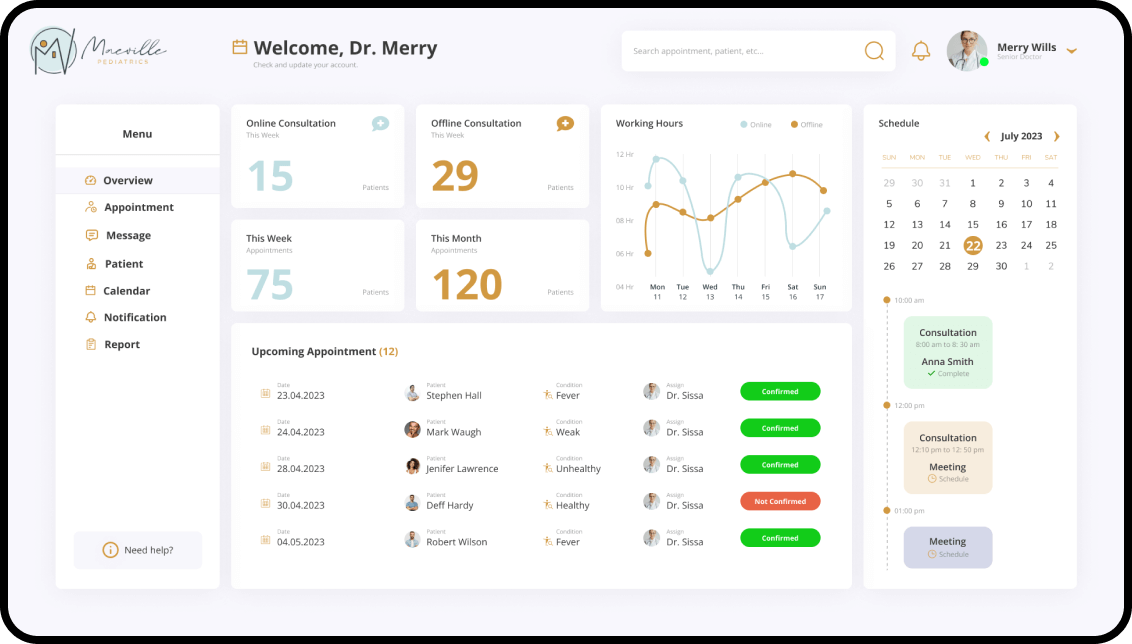
With the Doctor Patient Dashboard, you have the tools to monitor your well-being, schedule regular check-ups, and communicate seamlessly with your healthcare.

Image (5) (1)

Appointment

Image (6)

Communication

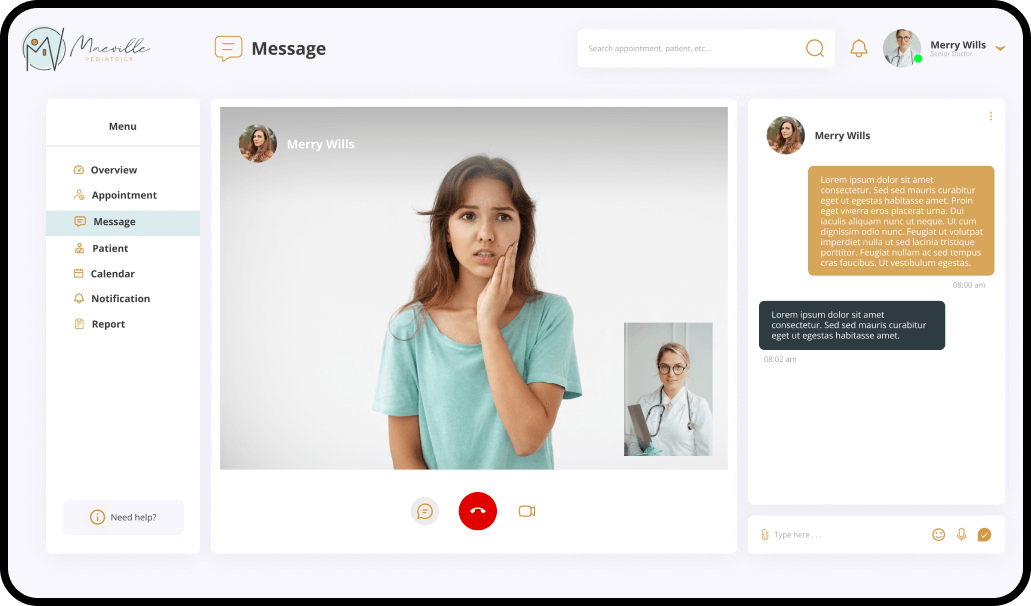
Effective doctor-patient communication is a central clinical function, and the resultant communication is the heart and art of medicine and a central component in the delivery of health care.
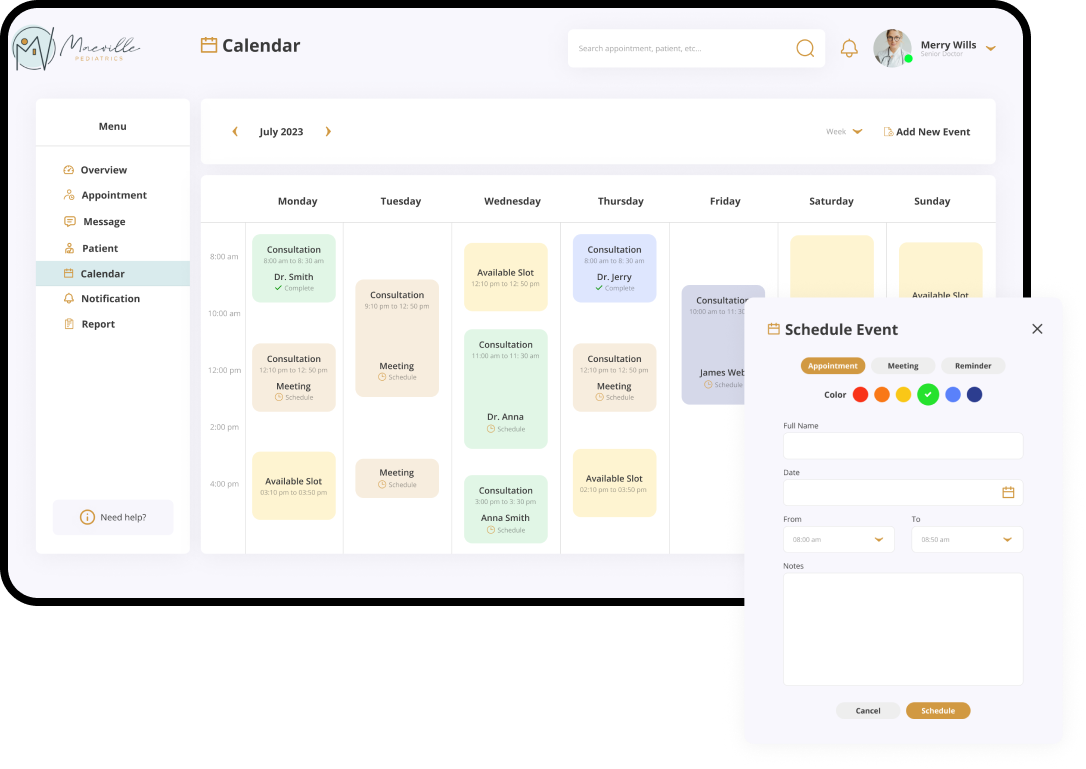
Image (7) (1)

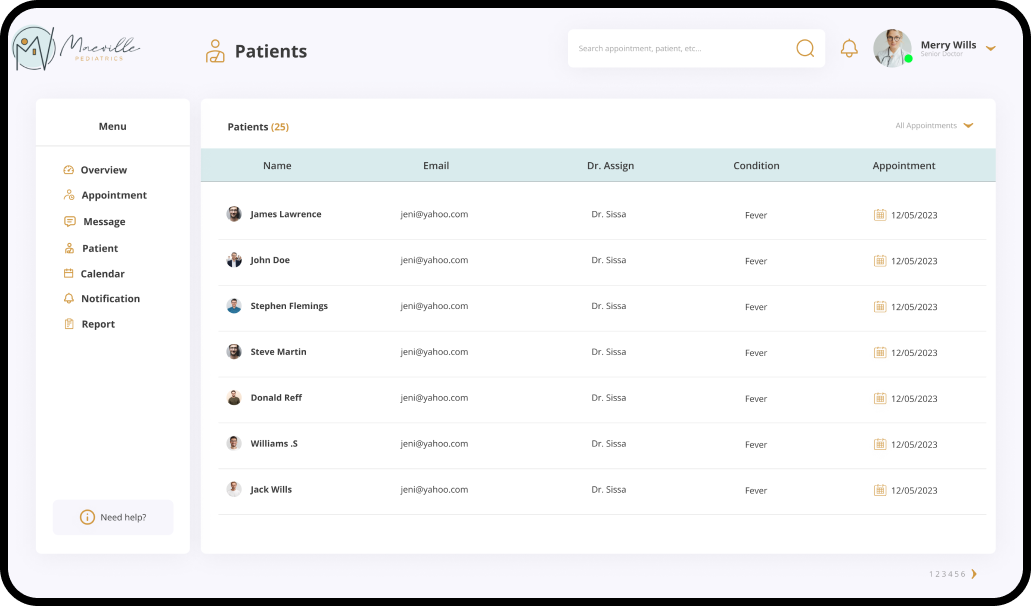
Patients

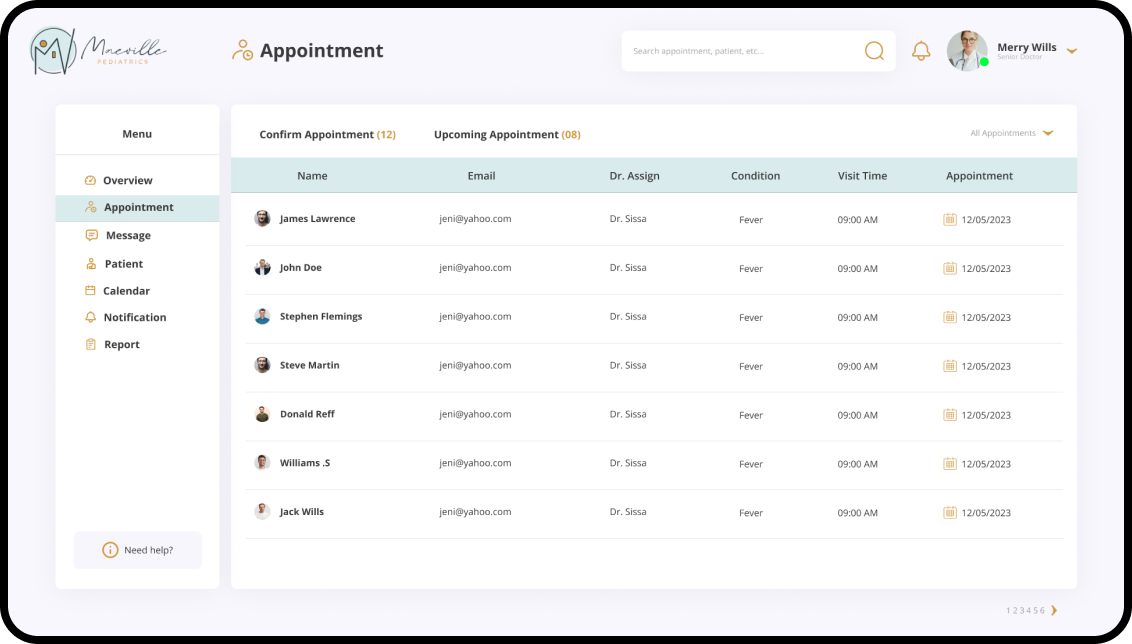
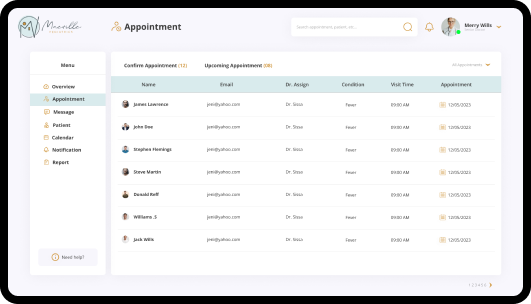
This screen shows the list of patients with their appointment time frame, patients full name with email or contacts.
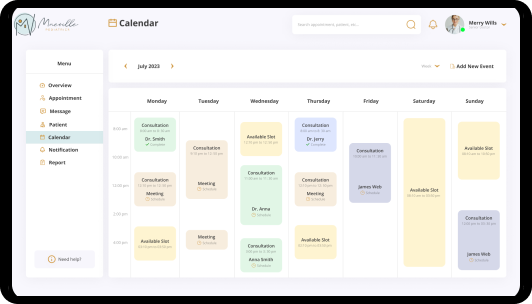
Image (8)

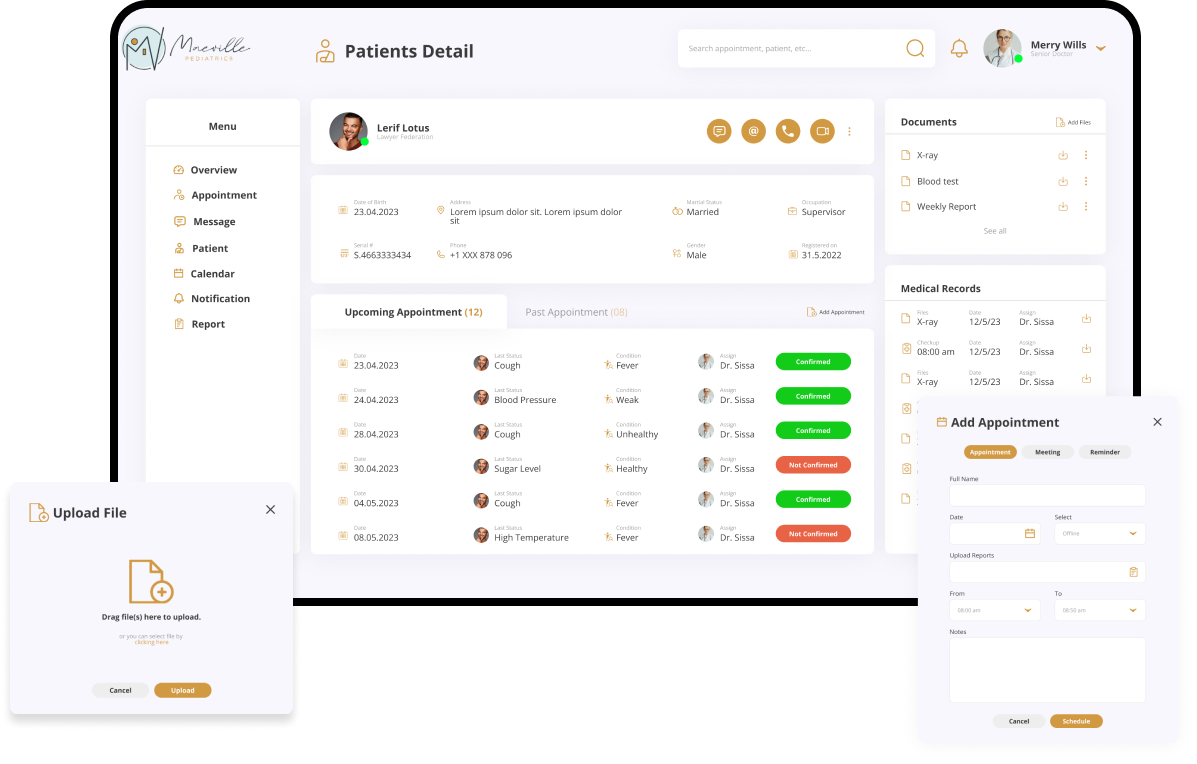
Patient Details

Group

Calendar

Group

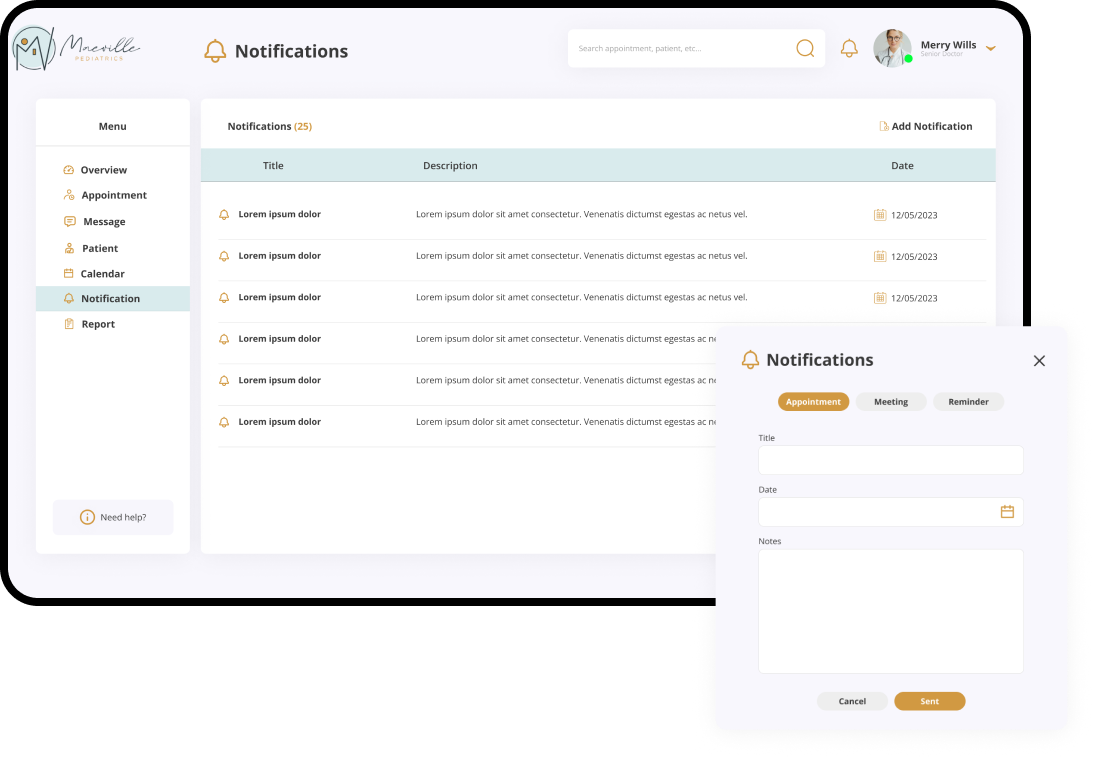
Notification

Group

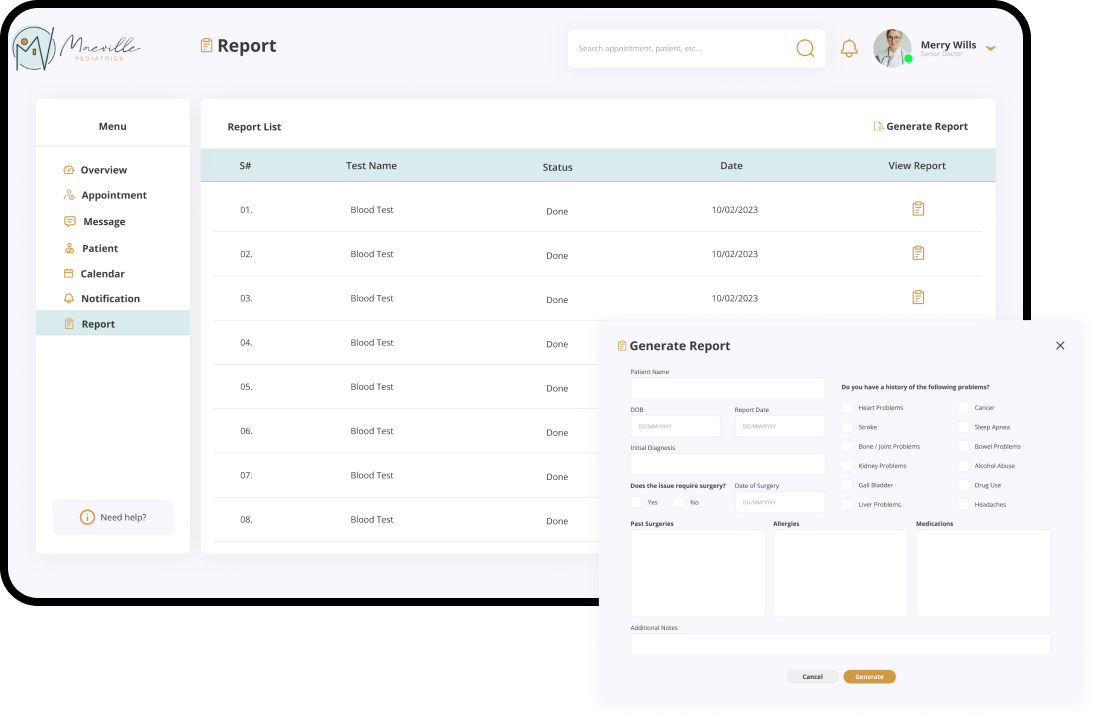
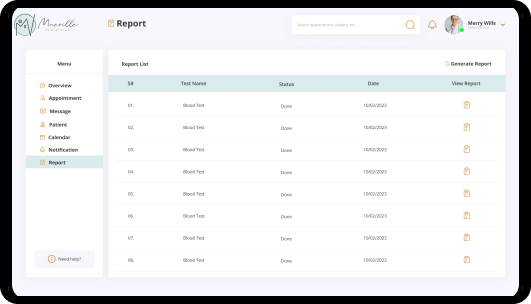
Reports

Group 164853 (1)

User Interface

User interface is the space where interactions between humans and machines occur.

Desktop

Image (9)
Image (10)
Image (11)
Image (12)
Image (13)
Image (14)

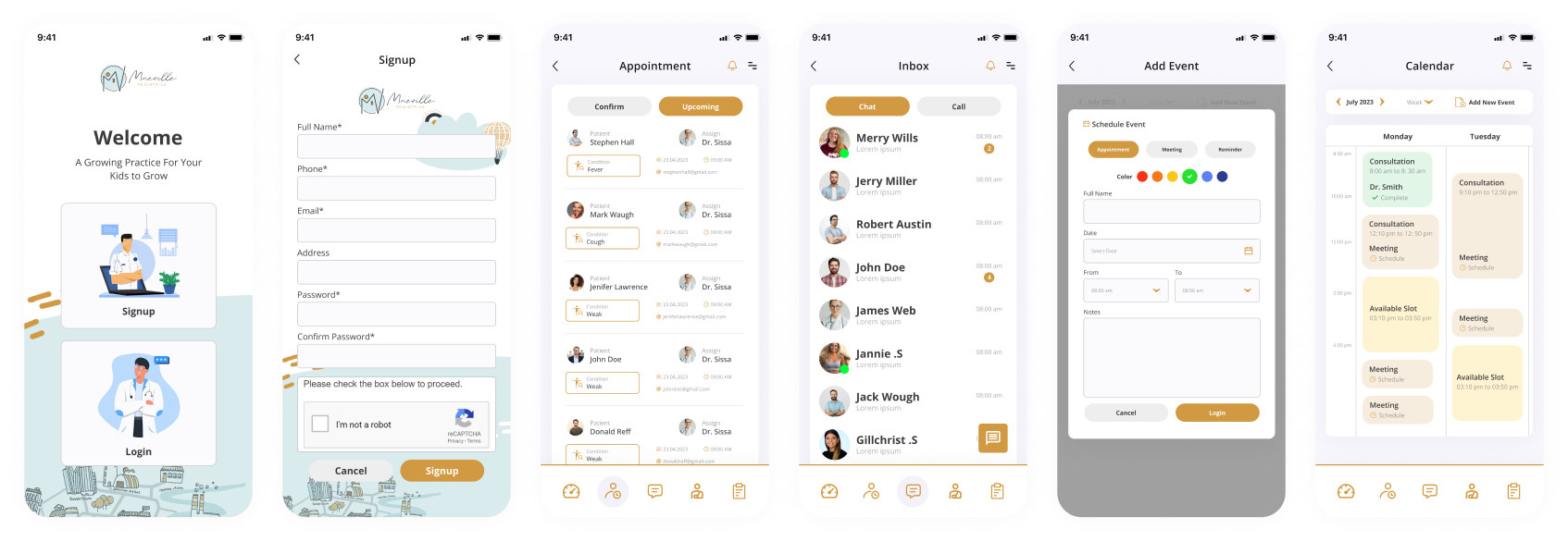
Mobile