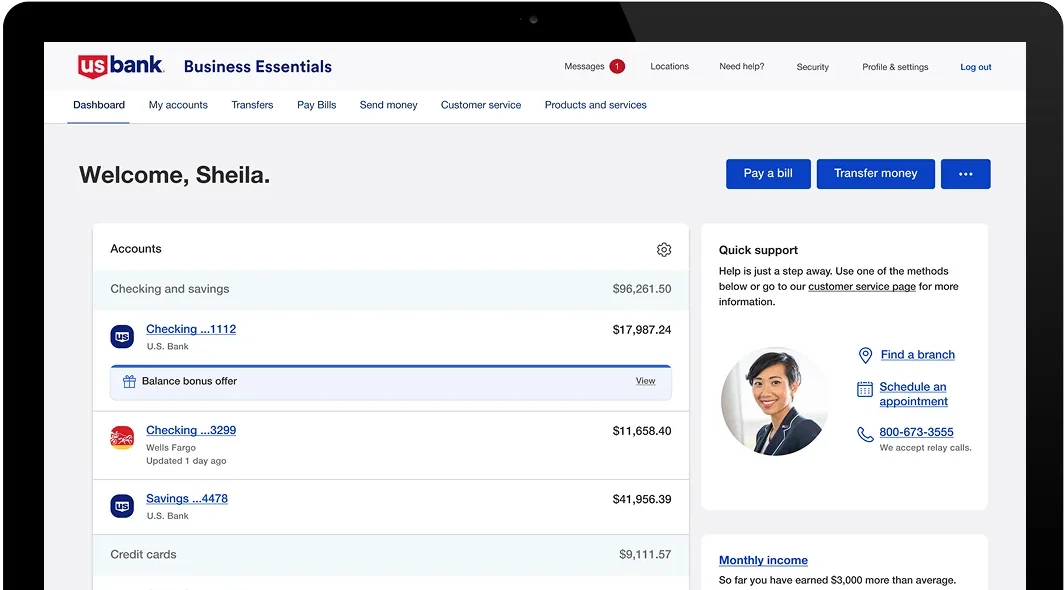
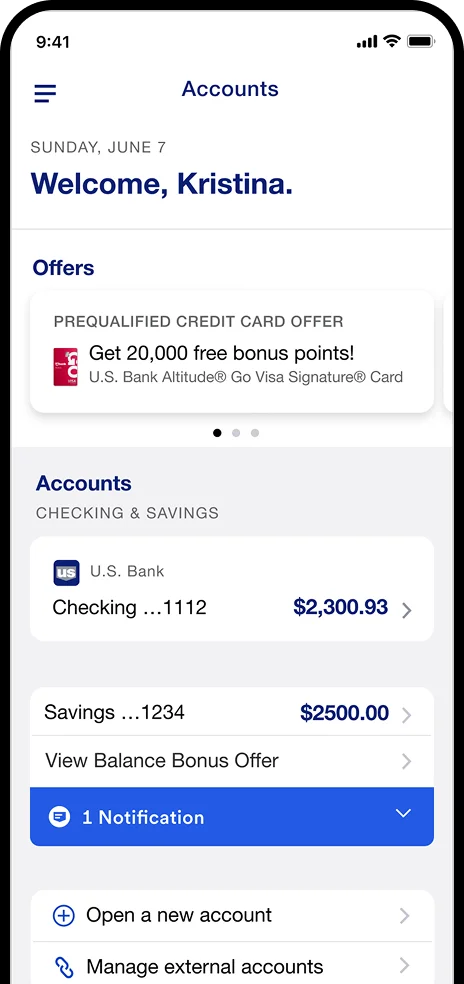








Augmented Balance Bonus

Augmented Balance Banner
Banner Mob
01

Overview

Overview

Augmented Design

Design

Augmented Puzzle

Prototype

Augmented Testing

User Testing

Augmented Bulb

Evaluation

Augmented Reflection

Reflection

02

User Problem

User Problem

Jason

Jason N. Smith

Environmental Scientist

Lack of consistency in design elements, can create confusion and detract from the app’s overall usability.
William

William B. Heaton

Machine Operator

Some screens has confusing layout or lack intuitive navigation, making it difficult for users to find what they need quickly.
Marry

Mary R. Mitchell

Ecommerce Expert

Limited accessibility features, Poor contrast, lack of screen reader support.
Stewart

Stewart .M

Social Worker

Small labeling on buttons can make it difficult for users to understand what each action does.
Sheldon

Sheldon L. Will

Social Worker

Laggy response times, slow loading of data, or unresponsive interfaces can negatively impact the user experience and lead to frustration.
Angela

Angela F. Stine

Photographer

Lack of personalization in the app’s interface and services can lead to a generic user experience that doesn’t cater to individual preferences or needs.
03

Research & Insight

Participant Demographics

Participant Demographics

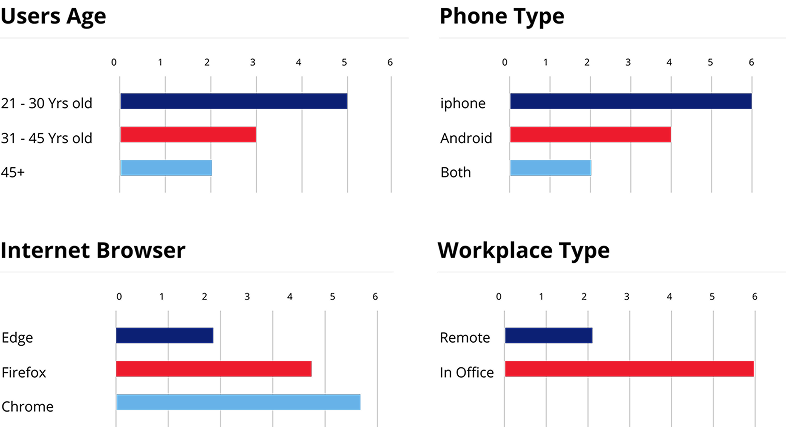
Conducted user interviews and workflow observations with 3 users.

Conducted User
Research

Research

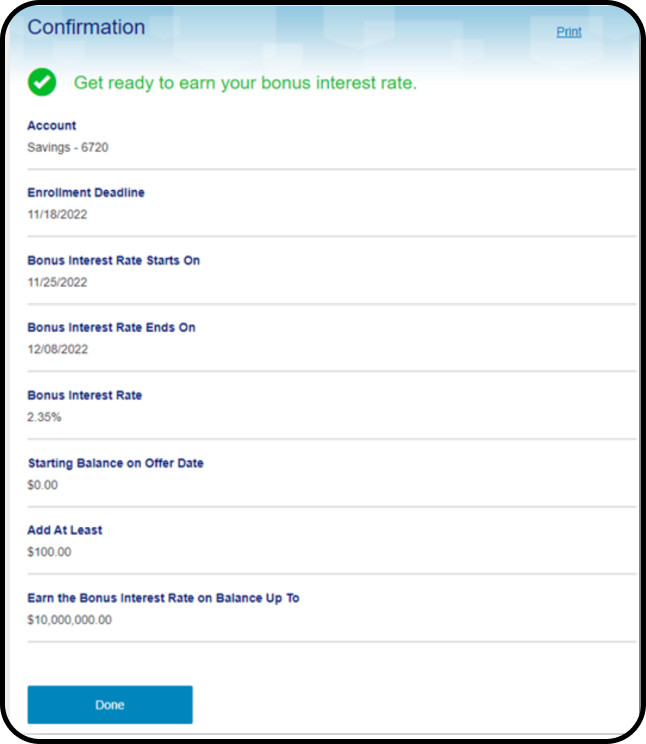
The product catalog will require connectivity between Zafin and U.S. Bank.
Augmented Research

Ideation

Ideation/ Mind Mapping

Binoculars user phishing

Objective

The objectives of the system are to lower transaction costs, reduce risk, and provide liquidity.


Corporate worker

Existing Problem

  • Text alignment and readability issue
  • Not able to use keypad keys
  • Alt text is missing
  • Unclear visual hierarchy

Security cooperation

Competitors

U.S. Bank competitors include PNC, Wells Fargo, Bank of America, M&T Bank and BB&T Corporation.

Binoculars

Research

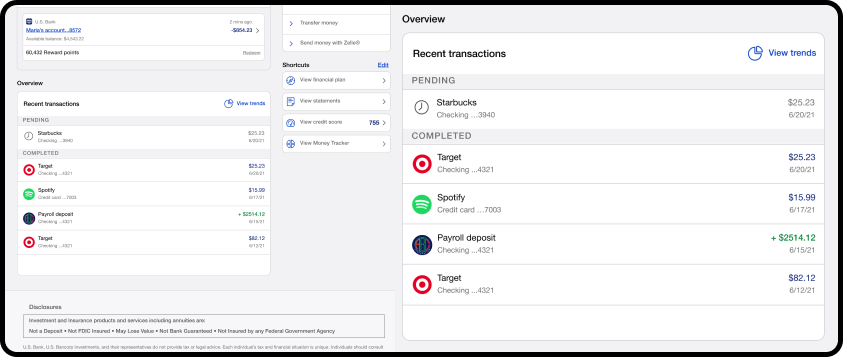
We have included two or more sections in recent transactions, shortcuts and pay activity.

Computer user

Reusability

We reuse shortcut options, card views, spacing and fonts.

Ideation & Design Process

Carbon ibm process mining

Design Process

We followed a human-centered, iterative process of research, synthesis, ideation, prototyping, and validation.

Clarity process on vm line

Key Iterations

The biggest pivot was moving from passive data visualizations to an action-oriented UI with contextual alerts and clear next steps.


Wall Bg
Carbon business processes

Final Design Decision

The final direction was chosen based on usability testing results that showed a significant reduction in task time and error rates.

Hugeicons package process

Tools

We used Figma for design and prototyping and FigJam for collaborative workshops, which enabled real-time feedback and a single source of truth.


05

AI Features

AI Features

AI Feature

Binoculars phishing

Enhanced Security

We add AI and machine learning features into its mobile app to enhance security, provide personalized insights, and improve the overall customer experience.

File

Enhanced Security

If a transaction is flagged as suspicious, the app will immediately send you an alert and may block the transaction until you verify it.

Smart Rewards

Smart Rewards

Identify recurring subscriptions. Surface insights on how you can save money or earn more rewards by using a different US Bank credit card.
Alerts & Notifications

Alerts & Notifications

AI system can also prompt you to set up alerts based on your activity. The system can send you timely notifications about an upcoming payment.


06

User Flow

User Flow Section

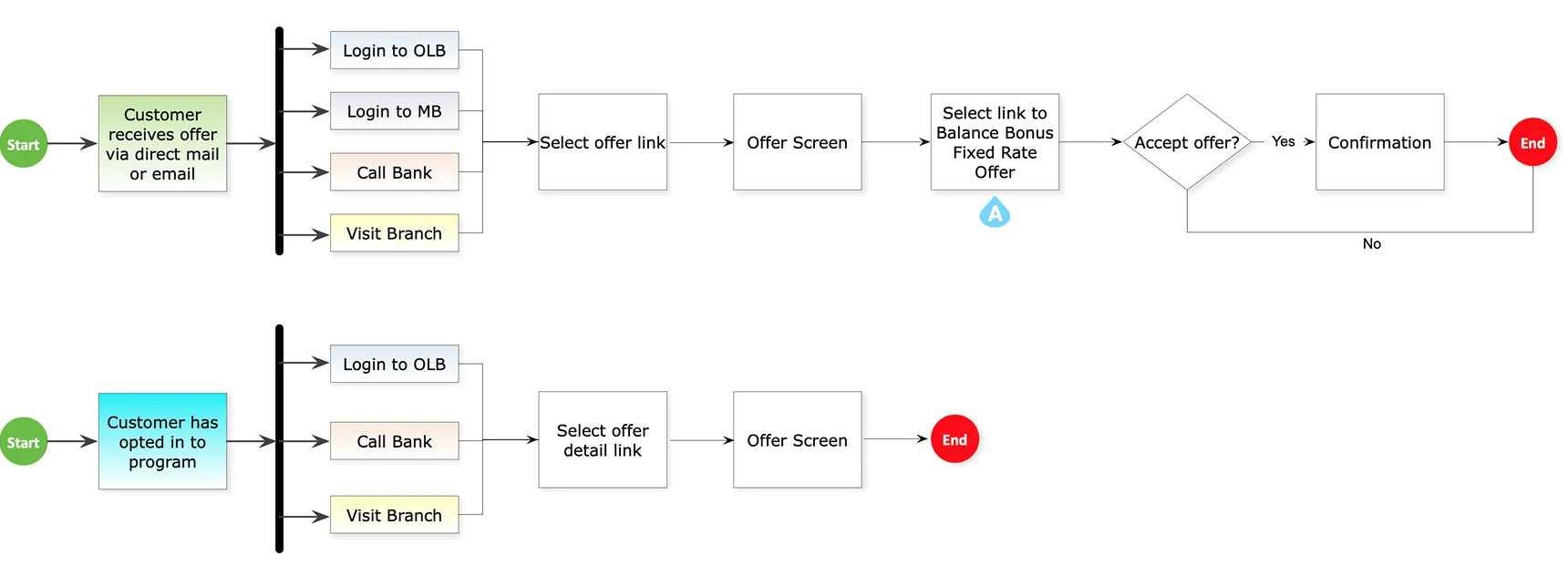
User Flow

User Flow Img
07

User Interface

Early Concepts

Early Concepts

Early Concepts Image

Final Visuals

Small Business Entry point

Small Business Entry point

OLB Entry

OLB Entry

OLB Entry

OLB Entry

OLB Un Rolled

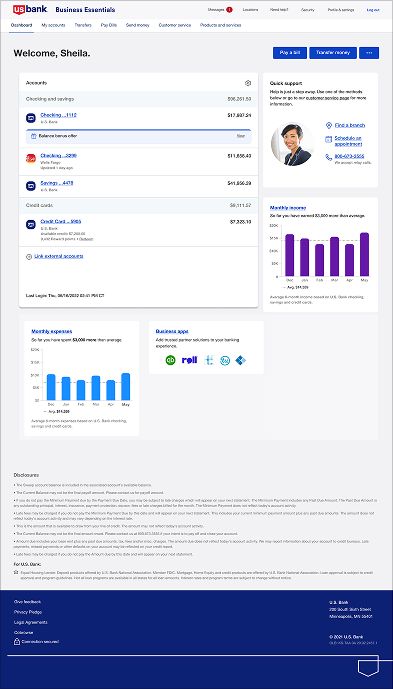
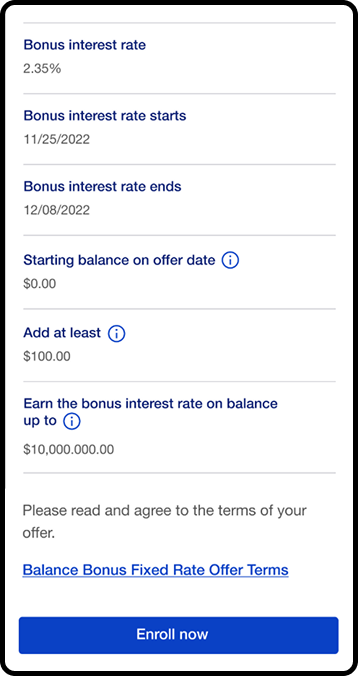
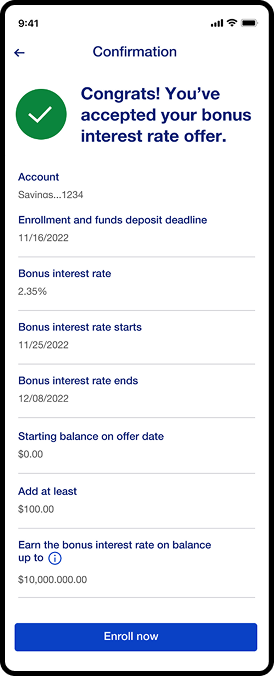
OLB Un-Rolled / Enrolled Dashboard

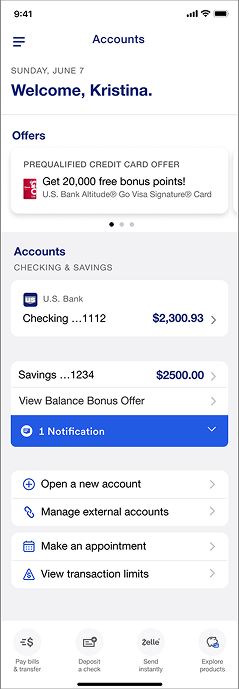
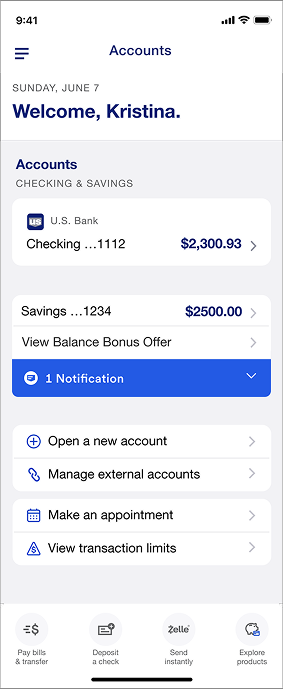
Mobile View

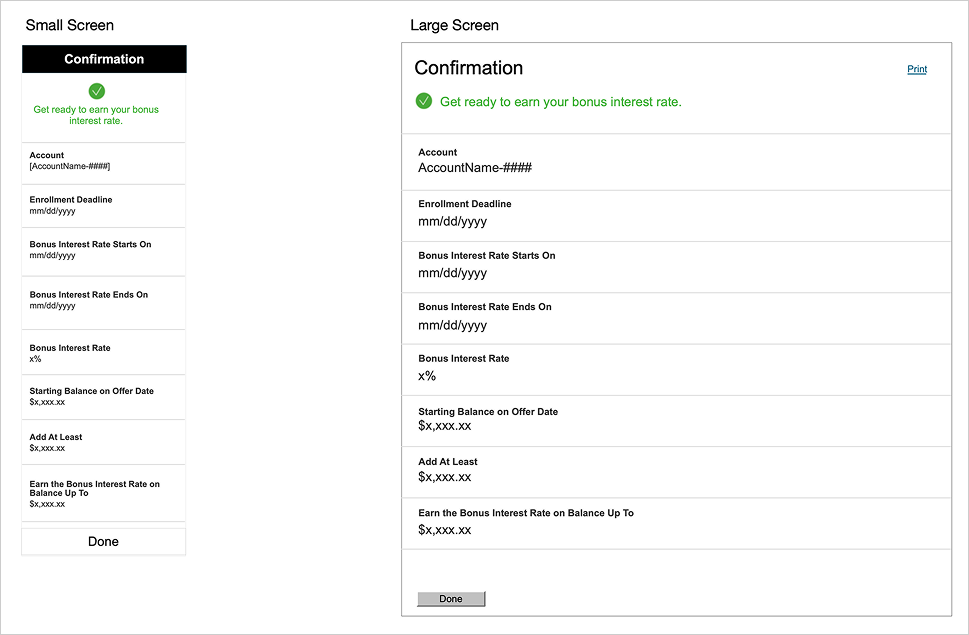
Mobile View

Mobile View
Mobile View
Mobile View
Mobile View
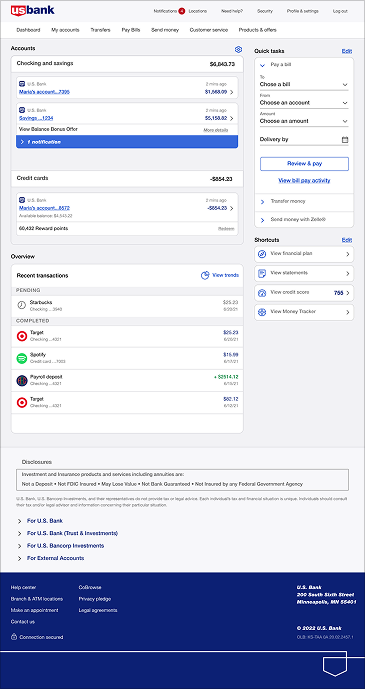
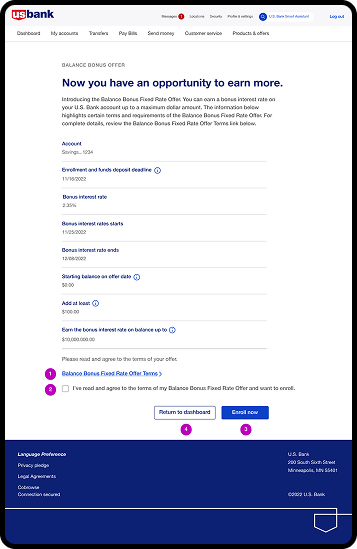
Desktop View

Desktop View

Desktop View
Desktop View
Desktop View
Desktop View
08

Core Accessibility

Core Accessibility Principles & Implementation

Core Accessibility
Screen Reader

Screen Reader Compatibility

Structure content with semantic HTML and ARIA labels so assistive technologies can interpret complex data and critical alerts.

Color

Color & Contrast

Use high-contrast colors and supplement color cues with icons/labels to ensure status is clear for all users, including those with color blindness.

Clarity

Clarity & Consistency

Maintain a predictable layout with clear language and multiple sensory cues to reduce cognitive load and prevent errors.

Keyboard

Keyboard & Focus

Ensure full keyboard navigation with clear focus indicators, so users can efficiently operate the dashboard without a mouse.

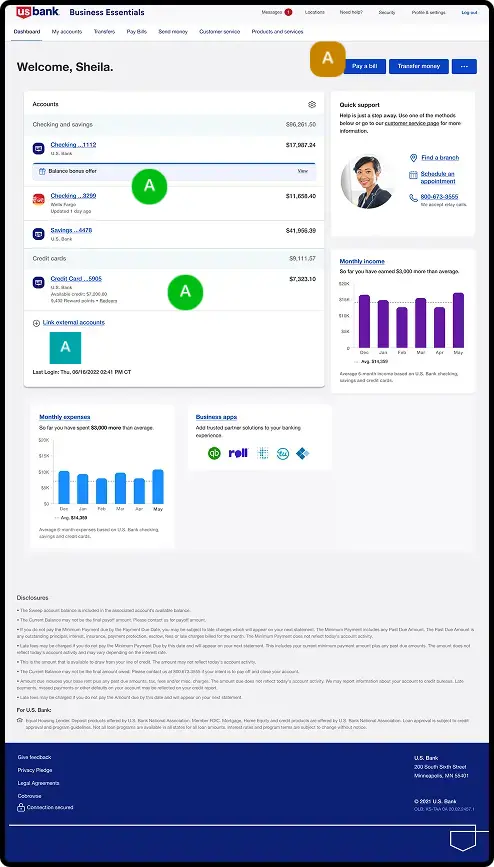
Handsoff

Collaboration & Handoff

  • Communication: I used interactive Figma prototypes and structured presentations to clearly articulate the user-centered rationale behind each design decision.
  • Documentation: Yes, I created detailed design specs in Figma with redlines, asset exports, and behavior notes for developers.
  • Handling Feedback: I facilitated collaborative workshops to align on user-centric goals, using data from research to resolve conflicting opinions objectively.
  • Ensuring Implementation: I held regular developer handoff meetings and used the shared component library in Figma Dev Mode to maintain design fidelity.
  • QA & Reviews: Yes, I actively participated in QA to check for visual/functional bugs and conducted post-launch heuristic reviews to track design debt.

Outcomes & Impact

  • Outcome: The project resulted in a 40% reduction in critical alarm response time and a 25-point increase in user satisfaction (SUS) scores.
  • Improvement: The design streamlined workflows, directly boosting operational efficiency and reducing the risk of human error.
  • Measurable Results: We measured a 15% decrease in navigation errors and received qualitative feedback praising the new system’s clarity and ease of use.
  • Do Differently: With more resources, I would have integrated predictive analytics and AI-driven insight modules from the start.
  • Influence: This project established our design system as a company-wide standard and paved the way for a data-driven, user-centric product roadmap.
09

Annotations

Annotations

Annotation Keys

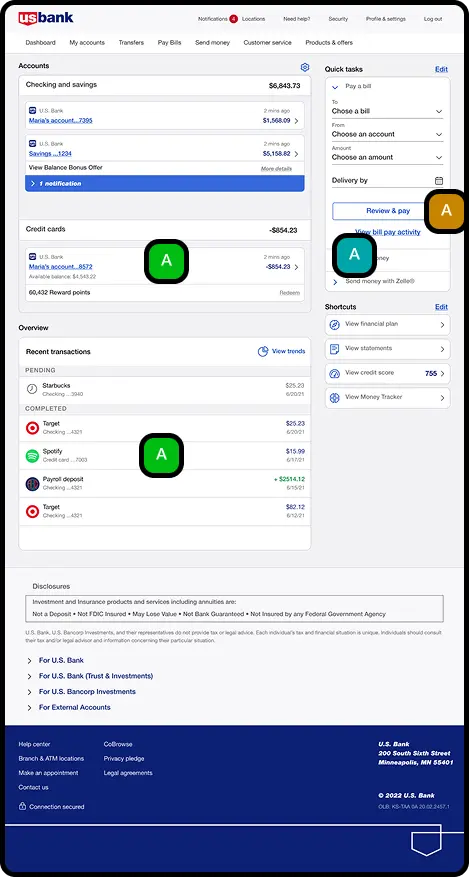
OLB/Mobile Annotations

Annotation
Annotations

Annotations

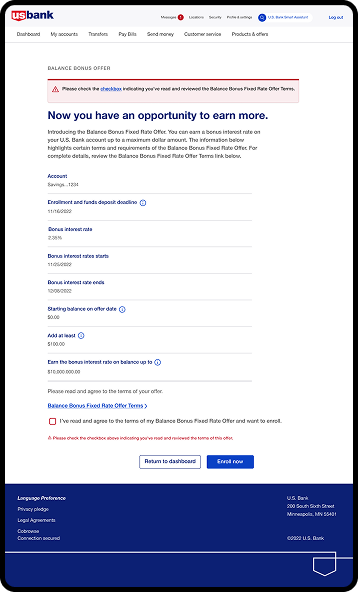
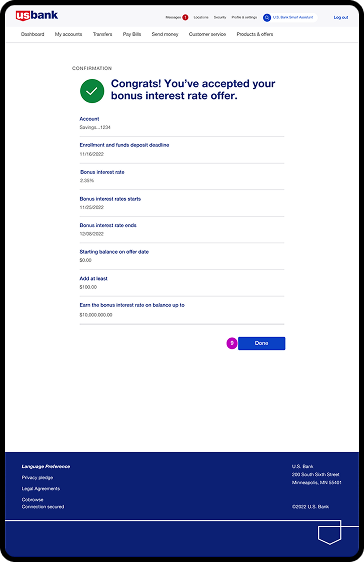
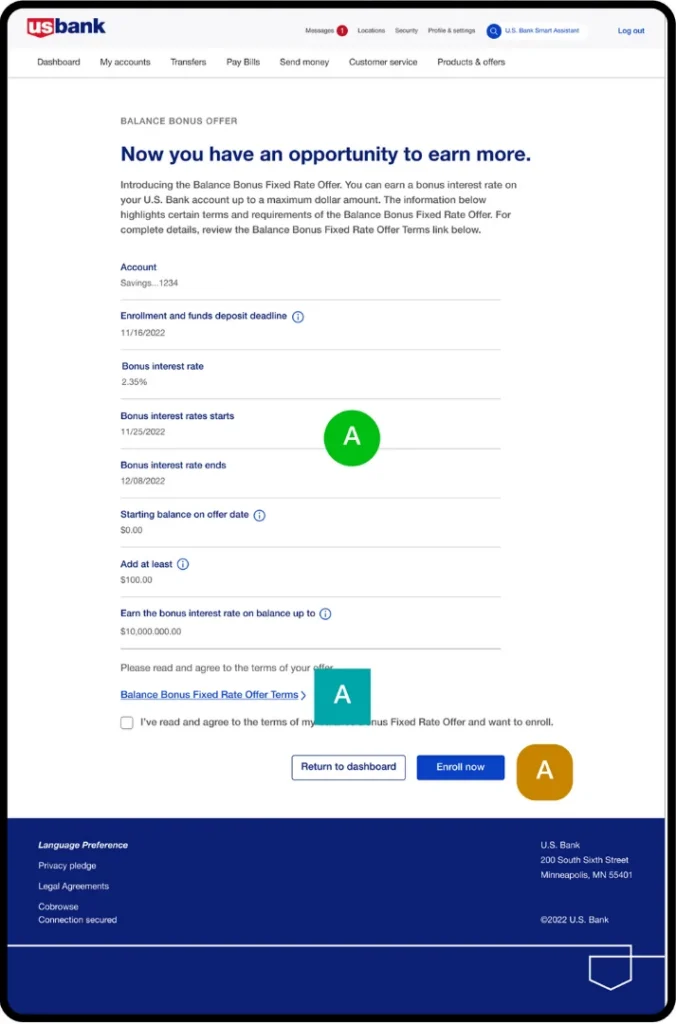
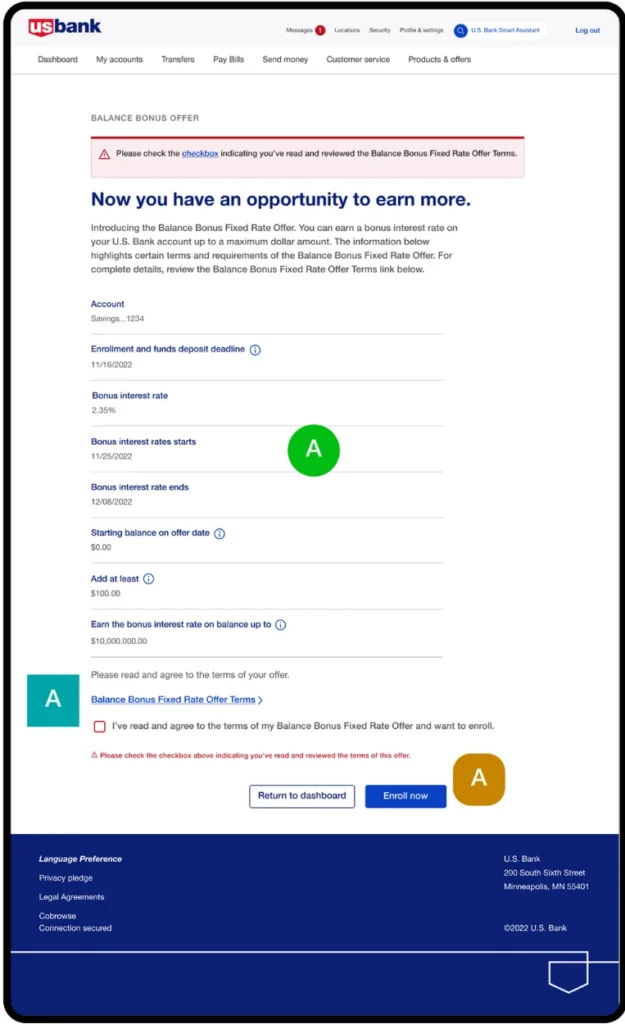
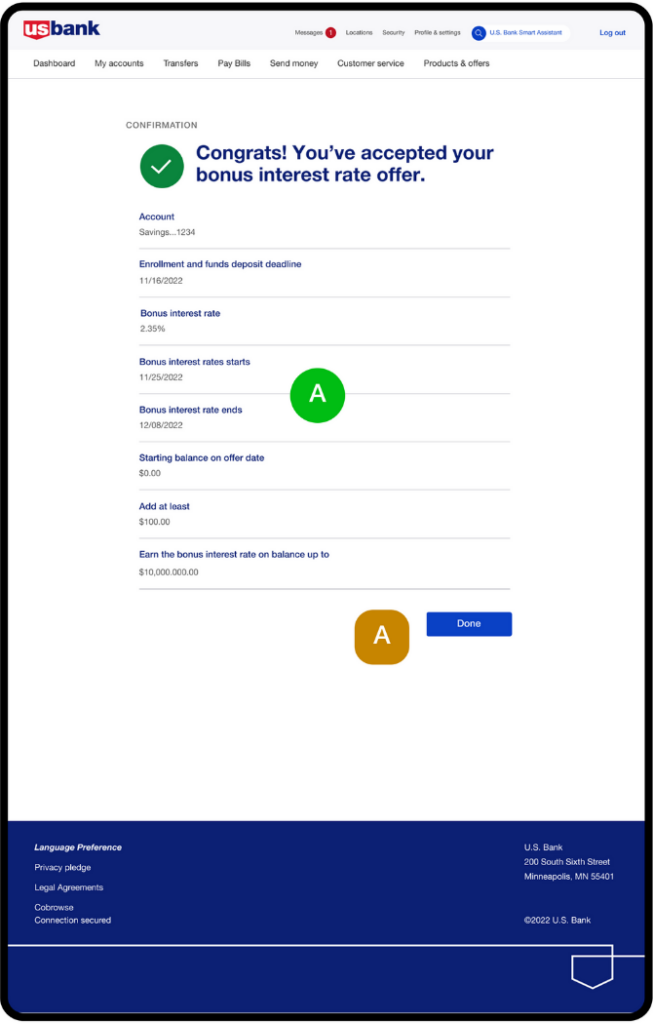
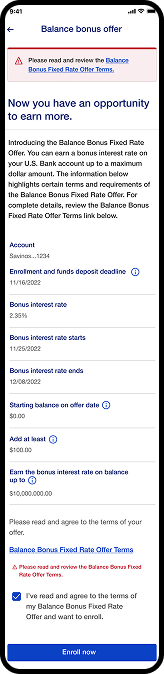
Retail dashboard enrollment

Annotation Keys

OLB/Mobile Annotations

Annotations
Annotations
Annotation
10

Prototyping

Realistic Experiences

Realistic Experiences, Fast

Check the Prototype, it make easy to share high-fidelity, no-code, interactive experience. 
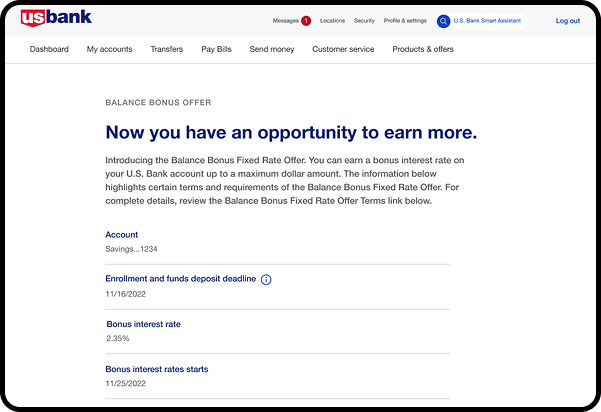
Experience New
11

User Testing

User Testing

To understand the views of other users about this part, I’ve collected data from the users.

Griselda

Griselda J. Maxwell

  • Issue: Touch targets like buttons and links are too small, which makes them hard to tap, especially on small screens.
  • Solution: We increased the size of touch targets so they are easier to reach and tap.
Jed S. Newlon

Jed S. Newlon

  • Issues: Unclear navigation paths or buried features
  • Solution: Simplify navigation by organizing content hierarchically and using clear labels and icons. Implement a navigation structure that follows standard design
Michele J. Austin

Michele J. Austin

  • Issues: Inconsistencies in design elements such as colors, fonts, and button styles can confuse users and make the app feel unpolished.
  • Solution: We establish and adhere to a cohesive design system that governs the use of colors, typography, icons, and other visual elements.
Users Testing
12

Evaluation

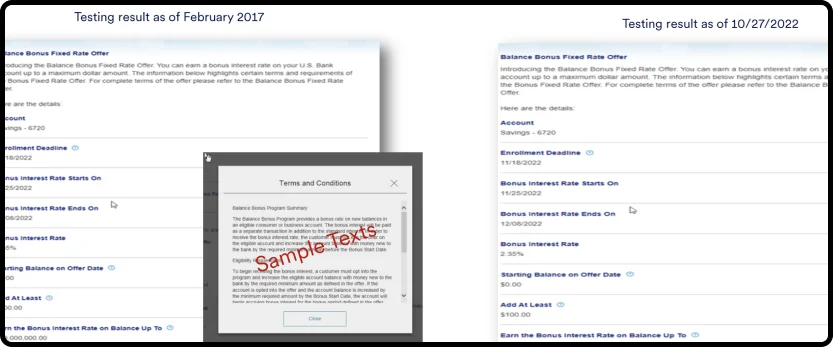
Existing Screens

Existing Screens

  • Inefficiency: The old UI might require more steps or clicks to complete tasks compared to a streamlined new design.
  • Outdated design: The UI might look dated and lack the visual appeal of a modern design.
Existing Screen
UI Screens

New UI Screens

  • Modern design: A fresh look can improve user engagement and create a more positive brand image.
  • Improved efficiency: A redesigned UI might streamline workflows, allowing users to complete tasks with fewer steps and in less time.
Reflection Slide

Reflection

Valuable Insight

Valuable Insight

Shaking hands

From “Inefficiency” & “Improved Efficiency”: User workflows are a key material of design. We do not just design screens; we design efficient task flows. Reducing cognitive load and steps to complete a task were measures of success.

From “Outdated design” & “Modern design”: We learn that visual design is a powerful tool for building trust and engagement. An outdated aesthetic can erode user confidence in the system itself, while a modern, professional interface reinforces a positive brand perception and makes the system feel more reliable.

The Ultimate Insight: This project killed the myth that you must choose between a powerful engine and a beautiful dashboard. We proved that form and function are a single, inseparable design challenge. A sleek interface that is clumsy to use is a hollow victory, just as a efficient system that looks unreliable will be rejected.

All the comparison really confirms is that we must act as the bridge, connecting the functional need for efficiency with the human need for clarity and trust, and achieving both in the final product.

Thank You Badge

Thank You

To Connect with Us.

Wanna collaborate?

Let’s chat.

Name

(required)

Hey, thanks for checking out my work.

I’ve been fascinated with the way people interact with technology since forever. I’m particularly keen on digital products designed to make life easier for human beings.

What are you working on?

If you want to know more about my design process, or if you want to talk about a cool idea, don’t hesitate to hit me up.